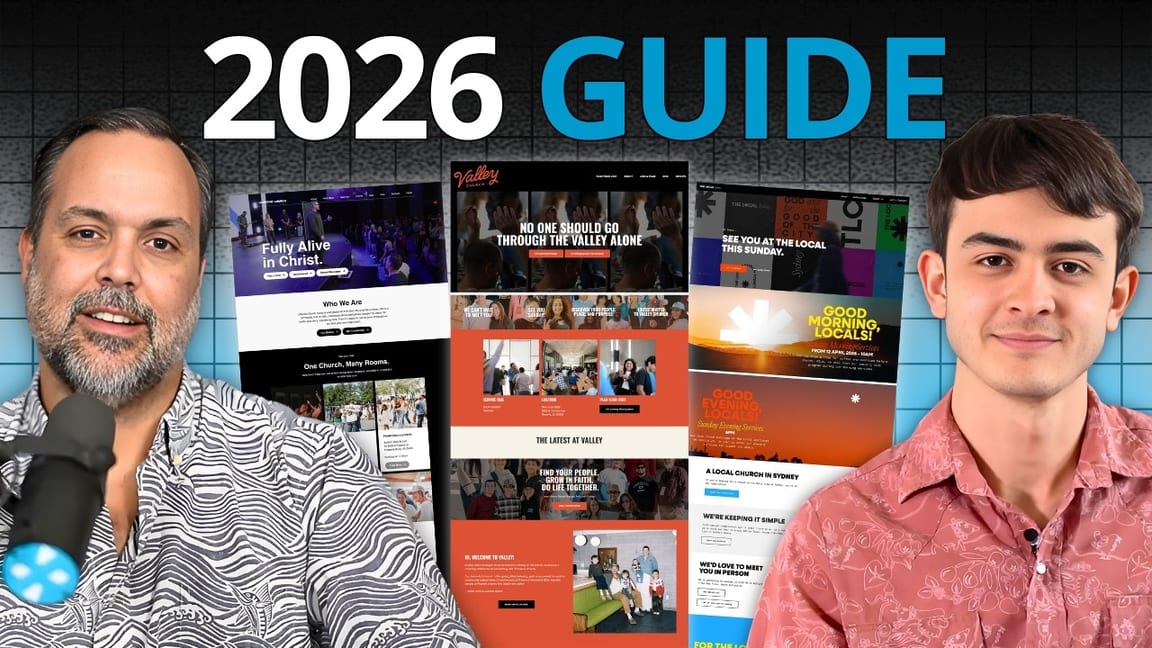
Most church websites aren’t built for visitors. They’re built for members.
That’s the core problem. The person who actually needs your website — the nervous first-timer who doesn’t know where to park, what to wear, or whether their kids are going to have a good time — lands on your homepage and has no idea what to do next. Meanwhile, the top button on the page says “Give Now.”
We’ve seen this play out hundreds of times. And the pattern is almost always the same. A church sits down to design their website and asks the wrong question: what do our members want? The answer to that question is always the same — sermons, events, and giving. So that’s what gets built. Three buttons on the homepage, all pointing at people who already go there.
And then they wonder why first-time visitors aren’t showing up.
This episode is a walkthrough of what a great church website actually needs in 2026. What works, what’s outdated, what the mobile experience needs to look like, and how to tell whether yours is quietly costing you visitors.
The First Impression Isn’t Sunday Morning Anymore
Churches have known for decades that first impressions matter. The old wisdom was about the parking lot — what people felt walking from their car to the foyer to their seat. The assumption was that the first impression happened at your church.
That assumption is broken.
The first impression now happens on a phone screen at 10 PM on a Thursday night. It happens when someone Googles “churches near me” and taps through to your site. It happens when a friend texts “come to my church this Sunday” and the person quietly opens your website to do a gut check before they commit.
By the time anyone actually walks into your building, they’ve already formed an opinion. Your website either earned the visit or it didn’t. Sunday morning just confirms what they already decided.
This one shift changes everything about how you think about your website. It’s not a digital brochure anymore. It’s your front door.
Built for Visitors, Not Members
This is the biggest mistake we see, and it’s the one that undoes everything else.
Think about how most websites in the world work. If you go to apple.com, every single thing on the homepage is designed to introduce you to a product and get you to take a next step. There’s a huge support section on Apple’s site, but it’s not front and center. It’s tucked away where members — existing customers — can find it when they need it.
Most church websites invert this. The homepage is support. Tithe here. Watch the sermon you missed. Sign up for the church picnic. And the visitor? Good luck finding what you need.
We’ve seen a church homepage where the primary call-to-action was a “Tithe” button. A first-time visitor, someone who’d never heard of the church before, lands on the homepage and the first thing the site asks for is money. It’s bizarre when you think about it that way — but it’s more common than you’d believe.
The fix isn’t complicated. It’s a mindset shift. Every time you’re about to put something on your homepage, ask one question: would a first-time visitor need this in the first 30 seconds? If the answer is no, push it deeper into the site. Members can click two extra times. Visitors won’t.
The Hero Section: Video, Not Slides
The top section of your homepage — what designers call the hero — is the most valuable real estate on your website. And for the last 8 to 10 years, the best way to use it has been a background video loop.
Not a slideshow. Slideshows are dead. They were the rage in 2015, and then everyone realized two things: nobody actually clicks through them, and they murder page speed. If your current website has a slideshow on the homepage, you’re using a 2015 playbook.
A background video is different. It plays silently. It doesn’t compete with your headline or call-to-action. But it does something no static image or slideshow can do — it shows people who you are in five seconds.
A clip of your pastor preaching. A shot of kids in kids ministry. A couple in worship. A student group laughing after service. The viewer gets a feel for your church without having to scroll or click. They see what the people look like. They see what the room feels like. They see whether this is the kind of place they might belong.
What to do — and not do — with your hero video
- Keep it candid. Real moments from real Sundays, not posed shots for the camera. Anything that looks staged reads as fake.
- No audio. The video should be silent and autoplay. Music or sound is jarring and gets your site muted.
- Mix the content. Worship, preaching, kids, students, community. Multiple aspects of your church in one loop.
- Overlay the essentials. On top of the video: your tagline, your service time, and two buttons. That’s it.
- Don’t over-produce. You don’t need a Hollywood crew. Clean iPhone footage is better than a stiff, overproduced promo video.
Above all, the hero has to answer the two questions every visitor is asking in the first five seconds: What kind of church is this? and What do you want me to do next?
The Two Buttons That Matter
On top of the hero video, you need exactly two buttons. Not four. Not a “Give” button. Two.
“I’m New Here” or “Plan Your Visit” — the primary call to action.
“Latest Message” or “Watch a Sermon” — the secondary one.
That’s it. Those are the two actions a first-time visitor actually wants to take. They want to know what to expect if they come, and they want to sample your preaching before they commit a Sunday morning to you.
And under those buttons, the single most important piece of information your website has: the service time. In plain text. Visible. Non-negotiable.
You would be shocked how many church websites bury the service time. Sometimes it’s on the footer. Sometimes it’s three clicks deep on a “Visit” page. Sometimes it’s not on the site at all — we’ve seen it. If someone can’t find out when your church meets in under five seconds, you’re losing them.
The Plan Your Visit Page Is Not Optional
In 2026, a “Plan Your Visit” or “I’m New” page is on the same tier as your Ministries page. You’d never publish a church website without a page about kids and youth ministry. Don’t publish one without a page dedicated to first-time visitors.
Here’s what it has to answer:
- When and where do you meet? Service times, address, directions, parking instructions.
- What should I wear? Seriously. This is one of the top anxieties a first-time visitor has.
- What’s the service actually like? Music style, length, format — is it quiet and reverent or loud and contemporary?
- What’s the plan for my kids? By age group. Where they go, what they’ll do, how check-in works.
- Who’s the pastor? A quick intro, a photo, maybe a short video.
- An FAQ. Ten or twelve questions that address the real apprehensions people have about visiting.
And then — this is the critical part — a form. A simple “Let us know you’re coming” form that captures a name, an email, maybe a phone number. This one element changes the economics of your entire outreach.
When someone fills out that form before they visit, something happens mentally on both sides. On your side, you get a chance to reach out before Sunday — a warm email, a text, “so glad you’re coming, here’s where to park.” On their side, they’ve made a small commitment. They’re more likely to actually show up. And when they do show up, they’re dramatically more likely to come back.
It’s the single highest-converting piece of a church website. Most churches don’t have it.
We did an entire episode on the anatomy of a great Plan Your Visit page if you want to go deeper.
Photos and Videos Do Double Duty
Your photos and videos aren’t just filler. They’re answering questions your visitors haven’t even asked out loud.
What do I wear? The dress code in your photos answers that. If your pictures are all suits and ties, the visitor in jeans is going to feel out of place. If your pictures are all shorts and flip-flops, the visitor in business casual is going to feel overdressed. The photos say it before any FAQ does.
Who goes here? The demographics in your photos answer that. A young single in their 20s is scanning for someone who looks like them. A family with toddlers is scanning for other families. If every photo on your site is a middle-aged couple, everyone else is quietly asking “is this for me?” and usually answering no.
This is why a real photography strategy matters. And it’s why two specific kinds of images have to go:
Stock photos. You know the ones. Perfectly diverse group of five people holding hands in a small group, lit like a pharmaceutical ad. A decade ago, you could get away with it. Today, anyone under 40 clocks it instantly. Stock photos actively harm your credibility. They scream “we don’t have anyone like this at our church.”
AI-generated images. Same problem, worse. The uncanny hands. The weirdly smooth faces. The oddly symmetrical rooms. It’s obvious, and it’s off-putting. No visitor wants to go to a church whose website feels synthetic.
The rule is simple: use real photos of real people at your real church. If you don’t have good ones yet, take some. An iPhone on a Sunday morning is enough to start.
Curating honestly
One nuance here. A lot of churches want to reach a demographic they don’t currently have a lot of. Maybe you’re older and you want to reach young adults. Maybe you’re in a diverse area but your church isn’t diverse yet. You can’t fix that by hiring actors or dropping in stock photos. But you can curate honestly.
If you have five young adults at your church, don’t hide them. Put them in the video loop. Make sure the photos on the site reflect that they exist. You’re not deceiving anyone — they’re really there. You’re just making sure the visitor who looks like them doesn’t scroll through 47 photos without seeing themselves.
That’s the line. Honest curation is fine. Fake it and you lose trust the moment someone walks in.
Mobile-First, Not Mobile-Also
Here’s a number that should reframe the entire design conversation:
70% of the traffic to your church website will come from a phone. 30% from a computer.
Not a tablet. Not a desktop. A phone. And the remaining few percent are tablets, which you can mostly ignore.
The problem is that almost every church website is designed on a laptop, tested on a laptop, and signed off on from a laptop. The person making the changes is never looking at the thing the way 70% of visitors are going to see it.
In 2026, mobile isn’t a secondary consideration. It’s the primary experience. Everything else is a derivative. We design mobile-first at ReachRight for exactly this reason. The vertical phone window is the frame that matters, and the desktop version has to adapt to that — not the other way around.
What mobile-first actually means
- Your homepage loads fast on a 4G connection. Big, unoptimized images are the #1 killer here. If your hero video is 40 MB, your site is unusable on a phone in a parking lot.
- The service time is visible without scrolling. On a phone screen. Not “if you zoom in.”
- The buttons are thumb-sized. Tap targets have to be big enough for real fingers. If a visitor has to pinch-zoom to hit your CTA, you’ve lost them.
- The navigation is simple. Hamburger menu, clean links, nothing nested four levels deep.
- It works in portrait AND landscape. If someone rotates their phone, the page shouldn’t break.
Pull out your phone right now and pull up your church website. If any of this doesn’t hold up, that’s your next project.
How Much Should a Church Actually Invest?
We get this question all the time. And the honest answer depends on the size of the church.
Under 100 people: You can probably get away with a template-based solution. There are tailored church website templates (including ours) with no setup fee and a reasonable monthly cost. The tools available now — drag-and-drop builders, and increasingly prompt-based AI design tools — are good enough for most small churches to do something respectable in-house.
100 to 150: You’re at the tipping point. If you have someone on staff or a volunteer with real design instincts, you might still DIY. But most churches at this size benefit enormously from professional help, even if it’s just for the initial build.
150 plus: Invest. A great church website can triple or quadruple the number of first-time visitors you get. The problem is you never hear from the people who bounced. Nobody emails to say, “I would have come, but your website looked like it was made in 2011.” They just don’t show up. Getting this wrong is invisible and expensive.
Here’s the other thing to weigh. For most mid-to-large churches, a bad website is easily costing you more in lost visitors than a good website would cost to build. The ROI math almost always favors investing.
Your Website Has a Four-Year Shelf Life
One of the best frameworks we’ve developed over the years: the average church website lasts four years before it needs a real refresh.
That doesn’t always mean a ground-up rebuild. Sometimes it’s just a homepage refresh, updated photography, a new color palette, a tightened message. But something has to happen. Design trends shift. Technology changes. User expectations evolve. What felt fresh in 2022 feels creaky in 2026.
And with AI accelerating the pace of change, the four-year window is probably compressing. Websites we built three years ago already look dated to us.
The dated-content red flag
A young visitor — Gen Z especially — can tell within seconds whether your site has been touched in the last year. The tells are brutal:
- An event banner for Christmas 2024
- A “new sermon series” that started 18 months ago
- A staff photo that includes people who haven’t been on staff for two years
- A blog post from “three weeks ago” that was actually posted in 2022
Each one of those is a quiet signal: this church might not even exist anymore. Young visitors are especially fast to judge a site as abandoned — and if they think you’re not active online, they assume you’re not active offline either.
You’re Nose-Blind to Your Own Website
Remember the Febreze commercials about being “nose-blind” — you get so used to the smell of your own house that you don’t notice it anymore? The same thing happens with your website.
You see it every week. You see the photos from 2021 and think “yeah, those are our photos.” You see the event banner from last spring that never got taken down and shrug. You see the broken link in the footer that nobody fixes. After enough exposure, your brain stops flagging it.
But the visitor walking in fresh? They see all of it, and they see it in the first three seconds.
The fix is simple: get fresh eyes on your site. Regularly.
- Hand your phone to someone who doesn’t go to your church. Not a family member or a close friend — someone outside the bubble. Tell them “pretend you’re trying to decide whether to visit this church on Sunday.” Watch them without speaking. Where do they tap? Where do they get confused? Where do they stop?
- Do a photography audit every 6 months. Pull up every page that has a photo. Is anyone in there who’s not at the church anymore? Is anything dated? Is anything staged? Pull or replace.
- Check the dates on your content. Events, sermons, blog posts. If anything is older than a few months, either update it or take it down.
Do this twice a year and you’ll stay ahead of 90% of the churches in your area.
Your Audit Checklist
If you want to walk away from this episode with a to-do list, here it is, in priority order:
1. Open your site on your phone right now
Pretend you’ve never been there. Can you find the service time in 5 seconds? Can you figure out how to visit? Does it look current? If any of those answers is no, you have work to do.
2. Fix your hero section
Background video, overlay text with your service time and tagline, two buttons: “I’m New Here” and “Latest Message.” Kill any slideshow. Kill any “Give Now” as the primary CTA.
3. Build or upgrade your Plan Your Visit page
Service details. What to expect. Kids ministry info. An FAQ. A “let us know you’re coming” form. This one page drives more first-time visitors than any other page on your site.
4. Purge stock photos and AI images
All of them. Replace with real photos of real people at your church. If you don’t have enough, assign someone to take them this Sunday.
5. Do a mobile pass on every page
Service times visible without scrolling. Thumb-sized buttons. Fast load times. Works in portrait and landscape.
6. Audit the dates
Anything older than 6 months gets updated or removed. No exceptions.
7. Schedule the next audit
Put it on your calendar. Every 6 months, do this again. That’s how you beat the nose-blind problem.
The Bottom Line
Your website is not a brochure. It’s not a directory for members. It’s not a place to stash your sermon archive.
It’s a first impression — and for most people who are going to visit your church, it’s the only first impression that matters. The one that decides whether Sunday even happens.
The churches that treat it that way are growing. The ones that don’t are quietly wondering why their outreach isn’t working.
Your Next Step
Not sure where your church website stands? We offer a free church marketing and website review. We’ll look at your site, your Google presence, your social media, and your overall digital strategy — then give you honest, specific recommendations you can actually use. No sales pitch. Just a real audit from the team that does this every day.
Turnaround is about 48 hours. It’s free for any church that asks.
More Resources
- The Biggest Shifts in How People Are Finding Churches Today
- How AI Is Changing the Way People Search for Churches
- 7 Church Website Tips That Actually Drive Visitors
- The Anatomy of a Great Plan Your Visit Page
- Calls to Action That Work on a Church Website
- Church Website Design Trends Worth Paying Attention To