Everybody’s talking about AI right now. What almost nobody’s talking about is which tools are actually worth opening on a Monday morning.
Every company we use has stamped “AI” onto everything they do over the last year — and they make more money doing it. That’s just how it works right now. But here’s what we’ve found: saying the letters A and I does not make something valuable to a pastor or a church leader. So we want to cut through the hype and tell you exactly which tools actually move the needle, which ones just create more work, and — this matters as much as the time-saving — where the line is on the stuff you could do but probably shouldn’t.
Most churches already have people on staff using these tools for something: sermon prep, social graphics, the weekly email. The question isn’t whether your church uses AI. It’s whether you’re using the right tools, in the right way, without crossing a line you’ll regret.
Let’s go topic by topic.
Sermon Prep: Openness With a Seatbelt
This is the one we get the most comments on. And our honest position is what we’d call openness with a seatbelt — because the hardline “no AI in sermon prep, ever” stance doesn’t survive contact with reality.
Think about it. Almost all of us are already using AI whether we admit it or not. If you run Grammarly over your notes, that’s AI. If you Google a commentary and read the AI overview at the top of the results, that’s AI. The idea that a preacher in 2026 can fully opt out and avert his eyes from all of it is a fantasy. So the real question isn’t whether — it’s where’s the line?
Here’s ours: never replace the Holy Spirit with AI. We will never come to a model and ask it to do the observation work in the text — what should I preach to my church in Honolulu about this passage in Matthew, what are the points — that has to be the Holy Spirit working through the preacher who’s in the Word and on his knees. That’s a hill we’ll die on.
But inside that boundary, there’s a lot of legitimate room. The tool we lean on most is Claude Code — and to that end, we built an entire sermon research skill for it. It doesn’t write content. It does the heavy lifting on research: pulling cross-references for the passage, surfacing what the famous commentators say about that book, and generating thinking prompts to help you anticipate what your people might be wrestling with before you ever step into the pulpit. It’s free on GitHub, no email required — the link’s in the episode description.
Is it a timesaver? Honestly, this is where we get a little weird about the framing. The answer is technically yes, but that’s not the point. We don’t spend less time on sermons because of it. Preaching this weekend still means about 15 hours in study, prayer, and practice — same as it’s taken for the last 20 years of preaching. What the tool does is make that time better. It gets research done that there wasn’t time for before. It doesn’t make us faster. It makes us more effective.
The tools are mostly interchangeable
We use Claude because we’ve gotten comfortable in the Anthropic ecosystem and think it has the best models right now. But we’re basically agnostic on platform — ChatGPT would do this research job just fine too. One thing worth knowing: if you’re a nonprofit, both Claude and ChatGPT offer discounted subscriptions — around 75% off the rate companies like REACHRIGHT pay. We’re doing a whole video on how to set that up soon.
The more church-specific tools like Logos are probably great too. We’ve watched people on our team use it. Our only hesitation is that it puts up heavier guardrails — understandable, since they don’t want bad theology creeping into sermon prep, but it’s felt cumbersome every time we’ve tried it. For most of us, the wide-open source tools work better.
One more use case we’ll admit to, and you’re welcome to disagree: alliteration. We’re not naturally good at it, but we know it makes points more memorable. So once the points themselves are set — us, the Holy Spirit, prayer, the text — we’ve found it genuinely helpful to have a model tighten up the alliteration. The reason we’re at peace with it: the old-fashioned way to do the same thing is to open a thesaurus and hunt for a word that means the same thing. This is just faster. It’s a literary tool at that point, not a ghostwriter.
Could vs. should
Here’s the conviction underneath all of it. A year ago, we could say beyond a shadow of a doubt that we could write a better sermon than AI. We tested it on the show — it was passable, but not really good. Today? If you’re honest, a top model with the right skills built in could probably write a better sermon than most of us. It could do it in a Pentecostal voice or a Presbyterian one, could make it sound like a great Tim Keller or Andy Stanley message. That’s genuinely a little scary.
Which is exactly why we have to settle our convictions now. Ed Stetzer said something on our show a few weeks back that stuck: if you’re just reading what ChatGPT wrote, you’re an actor performing lines — and a preacher and an actor have two completely different assignments. Could and should are different questions. Preaching is the place to draw the hard line.
We unpacked this whole tension in a separate episode — AI Can Actually Make You a Better Preacher — and the flip side in 6 Ways Pastors Should Never Use ChatGPT.
Admin, Email, and Newsletters: Go Straight to the Source
Move away from the pulpit and into the church office — emails, newsletters, announcements, staff documents — and the calculus changes. There’s a lot less to be precious about here, and a lot of churches are already doing it. (We can usually spot it, too. Being subscribed to a few local churches’ email lists, the ChatGPT voice jumps out immediately.)
The single most useful thing to understand about this category is a bit of a secret: almost every “AI” tool you see is the same handful of tools underneath. Your Mailchimp AI writer, the AI button in your church software, the church-branded content tool — the vast majority of them are just Claude or ChatGPT (occasionally Perplexity or Grok) with a wrapper around it, some different graphic design, and a few instructions bolted on. Then they charge you for the privilege.
So if what you actually want is AI that writes like you, you’re usually better off skipping the wrappers and going straight to the source tools. And the real unlock there is skills — saved instructions that teach the model your voice once, so you don’t re-explain it every time.
We do exactly this at REACHRIGHT. Some things we write by hand. Other things — technical support articles, how-to docs, “here’s how to enter a new person into Planning Center” — we’re perfectly comfortable letting AI help draft, because we’re always screening and editing after. The trick is we’ve built heavily tailored skills that have nailed the REACHRIGHT voice. Your church can do the same: build a skill that knows how to sound like your church, not like generic AI.
Our favorite one is called stop slop. We call it on basically everything we write. It’s a running list of every dead giveaway you just thought of — never use em-dashes, don’t do the “it’s not this, it’s this” pattern, don’t speak in triplicate — and it just says: under no circumstances write like that, because that’s not how we talk. Build a few skills around your church’s brand voice and you’ll get far more out of the source tools than any wrapper product.
Social Media Content: Captions Yes, Auto-Clips No
Social media splits into two very different verdicts.
Captions and copy — yes, lean in. Give ChatGPT or Claude your post idea and let it draft caption options. It’s an obvious, legitimate use, and again the native tools beat the wrappers.
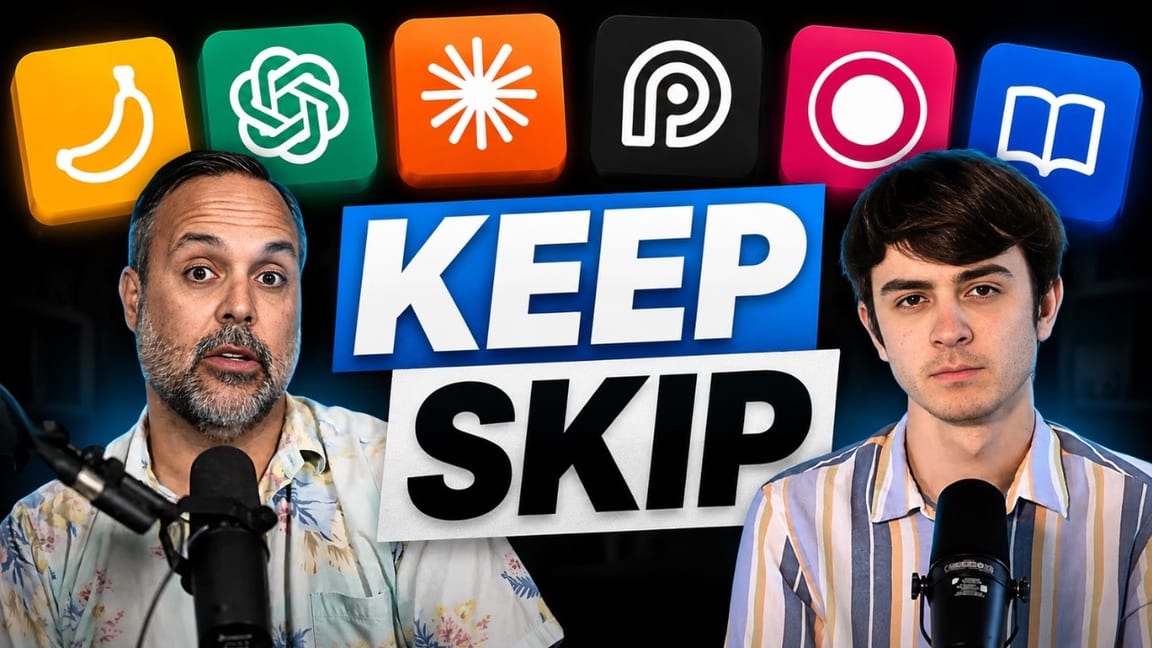
AI sermon clipping — be careful. There are 30-plus companies out there — Opus Clip, Sermon Shots, and a pile of others — that promise to turn your 50-minute sermon into a stack of vertical clips automatically. They’re all doing the same thing: using AI to read a transcript and pull “interesting” moments. Will it save you time? Yes. But we just did an episode on how the short-form feed has drowned in slop — Ranking Every Social Media Trend for Churches in 2026 — and this is a big reason why. When clipping gets this easy, everyone floods the algorithm, the algorithm shows content to fewer people, and each auto-generated clip gets less valuable. It saves time and destroys results at the same time.
That’s not theory for us. We offer social media management for churches, and we do zero AI sermon clipping in it. Real, trained editors cut every clip in the Adobe suite by hand, because the AI version simply doesn’t get the results churches actually want.
We know the limits firsthand because we tried to build one of these tools for REACHRIGHT — a church-specific sermon clip generator. We got the good-looking video, we got the captions, all of that was easy. The part we couldn’t crack is the part nobody has really cracked: clip selection. Understanding meaning. The AI reads the transcript and finds “interesting phrases,” but it can’t feel the moment where you lean into the camera, drop into the lower register, and land something that matters. That’s why Opus Clip hands you 45 clips off one sermon — it has no idea which are good, so it uses a shotgun approach and slaps a bogus “virality score” on each one. Dig in and you find it’s mostly scoring for controversial words. It once flagged a clip as most-viral purely because the sermon happened to mention divorce.
The image trick worth stealing: Claude + Nano Banana
Here’s the social media use case we are leaning into hard right now, and it’s a genuine game-changer: using Claude to write a JSON image prompt, then handing that prompt to Nano Banana (Google’s image generation tool).
Most people generate images the basic way — they type “make me an image of a wave crashing on the shore with beach ministry text” and take whatever comes out. What we do instead is ask Claude to think like a photographer and describe the perfect version of that image as a hyper-detailed JSON spec — camera lens, light settings, what a person’s shirt says in the background, the works. Then Nano Banana renders it. It looks like code, but you’re just telling Claude what you want and letting it fill in the granular details a human would never bother to write out. Fifteen seconds later you have a social-ready image.
The even better use isn’t photography — it’s text graphics. Carousels. Sermon-point slides in your brand. We made 18 slides for the REACHRIGHT account in one sitting this way, and honestly they’re as good as what our design team produces. Churches should be doing this for their carousel content.
Two hard guardrails, though: never make fake people, and never manipulate real people from your church. Don’t drop a real congregant into a generated scene and have them “turn and smile.” That’s out of bounds. (We dug into why synthetic and stock imagery quietly wrecks trust in What a Great Church Website Actually Needs in 2026.)
Volunteer and Admin Management: Not Yet
This is the category where we have to be honest: we haven’t seen a genuinely great use case yet.
Planning Center and the other church management platforms have started adding AI features. We’re big Planning Center fans — we did a full Planning Center review — but we don’t yet see the AI piece doing something more valuable than just going to the source tools and curating your own process. For a normal, smaller church, we’re not convinced it’s saving a human meaningful time on the actual admin tasks that need doing.
The one exception we’ve heard about firsthand: a larger church that built its own Claude “hub” for staff. Different ministries, different roles, all connected — you submit an email and it pings the right person for approval automatically, it files all the VBS material in the right folder, it works almost like an administrator sitting in the middle of everything. That’s real, and it’s impressive. But it’s a big, technical church doing custom work.
Our prediction — hold us to this in a year — is that the church management companies (Planning Center, Church Community Builder, Fellowship One) will eventually build this out properly, so churches don’t have to hack their own version. This is the exact debate raging across the whole software industry right now: companies like Salesforce and HubSpot have watched their stocks wobble on the fear that people will just rebuild their software with AI. But realistically, is the average church going to reconstruct its entire ChMS from scratch? For an enormous or highly technical church, maybe. For a typical church, no. The likely outcome is the platforms doing more than stamping “AI” on the box and actually shipping useful tools. As of the middle of 2026, that hasn’t really happened yet — so for now, we don’t see it as valuable. A year from now is probably a different story. (If you want the fuller picture on where the jobs are heading, we went deep on Which Church Staff Roles AI Will Replace First.)
The Real Skill Isn’t the Tool — It’s the Prompt
A theme kept surfacing across every category: it’s often not the tool that’s the problem, it’s the prompt. Getting good output has become its own skill set. Here’s what’s working right now.
- Assign it a role. “You are a world-class sermon alliterator; it’s your life’s craft.” Giving the model a role reliably lifts the quality of what comes back.
- Be specific, and invite it to research. “You’re a great alliterator, now write me one” gets middling results. Sending it out first — go research the hottest design trends in 2026, then come back and try — gets far better ones.
- Make it iterate. One of our favorite moves: “Take the caption you just wrote, submit it to a panel of the world’s greatest experts on organic Facebook, have them score it 1–100, and if it scores under 90, rewrite and rescore until it clears 90 — then show me.”
- Save it as a skill. Rather than typing that long prompt every time (or dictating it with a tool like Whisper Flow), bake the whole process into a skill once. Then you just say “use the Facebook post skill on this sermon transcript” and it runs the entire routine.
But this part is changing fast
Here’s the twist: everything we just said about prompting is starting to shift. Detailed, hand-crafted prompts still matter today — but with the newest models (the latest Opus, the new Codex tools, and Claude Fable 5, which dropped three days before we recorded this and has been mind-blowing), AI is becoming much more goal-oriented. You don’t have to choreograph every step anymore. You tell it what you’re trying to accomplish and let it figure out the how.
Real example: while recording, we had Fable 5 running in the background on a research project — build me an in-depth, accurate document on the 100 most influential churches in the world; figure out the best way to do it and go. That was roughly the whole prompt. It asked a couple clarifying questions and went to work. The era of curating the perfect prompt every time is fading. As of today, the techniques above still count — but in a couple of years this’ll be a different conversation entirely.
Two Free Resources to Start With
If you take one action after reading this, make it one of these two.
First, get an AI policy for your church. We have a downloadable Word document with rough boundaries most churches will agree on — what you will and won’t do with AI — designed for you to customize and walk through with your staff. This matters more than it sounds. If you have a staff and no policy, we guarantee people are already operating at wildly different lines. Getting everyone on the same page is the whole point.
Second, grab 77 AI Prompts for Pastors and Church Leaders — a free document with ready-to-use prompts for sermons, admin tasks, and social media, including a lot of what we described above. Both of those, plus the free Claude Code sermon research skill on GitHub, are linked in the episode description.
AI is going to change the world — not necessarily for the better, but undeniably in a life-changing way. That’s exactly why it’s worth being intentional about it now: which tools you use, how you use them, and where you draw the lines that keep the work faithful.
Your Next Step
Not sure whether your church’s tools, website, and marketing are actually working — or just busy? We offer a free church marketing and website review. Our team will look at your digital front door, your online presence, and your overall strategy, then send back honest, specific recommendations you can actually use. No sales pitch. Real feedback.
Turnaround is about 48 hours. It’s free for any church that asks.