

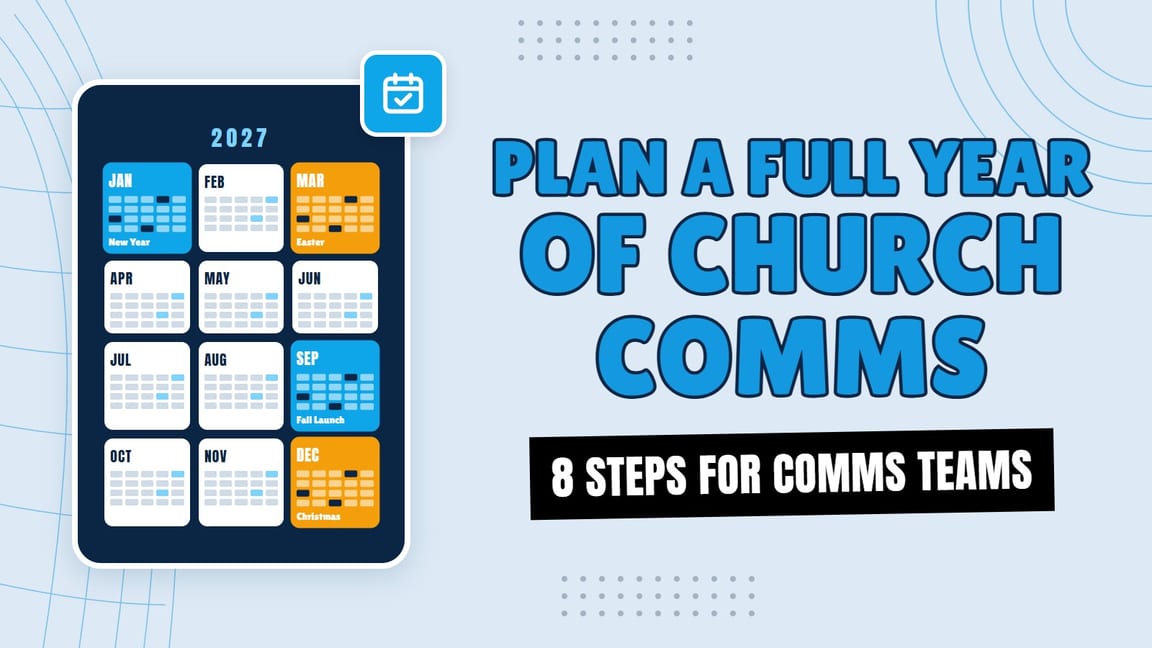

Every January, church staff teams look at a fresh calendar with good intentions. By March, a lot of communications directors are back to hearing about events two weeks before they happen and fielding requests for one more stage announcement.
I’ve served in church ministry for over 20 years, mostly in creative and communications roles, and I’m currently the Creative Director at Doxology Bible Church in Fort Worth. The most helpful habit I’ve seen for a communications team is planning the whole year before it starts.
A year plan settles the big decisions once, before the requests start coming in: which seasons matter most, how many Sundays are actually open for churchwide promotion, which events get the most attention, what each channel can carry, and when requests are due. Decide those up front, and you stop deciding them again every week in a hallway conversation.
Step 1: Map the Big Seasons First
Start with the moments that matter most to your whole church. For most churches, that’s four seasons.
January
The new year is a natural time for fresh starts. Many churches launch groups, start a new sermon series, kick off a Bible reading plan, or run a generosity or prayer emphasis. People are paying attention in January, so plan what you want them to hear.
Easter
For many churches, Easter is the biggest guest weekend of the year. That makes it one of your most important communication seasons, both inside the church (inviting your people to invite their friends) and outside it (helping guests find you and plan a visit).
Keep an eye on the date. In 2027, Easter falls on March 28, which is earlier than usual. Ash Wednesday is February 10. Your Easter planning needs to start in January.
Fall Launch
Late summer and early fall is when a lot of church life restarts. School is back, families are settling into routines, and ministries are relaunching groups, classes, and volunteer teams. Fall launch often has the most moving parts of the year, so map it out early.
Advent and Christmas
Advent begins November 28 in 2027, and Christmas Eve is a major guest moment for many churches. This season often includes services, events, serving opportunities, and year-end giving, all competing for attention at once. Plan it early so it doesn’t become a pileup.
The Smaller Annual Moments
Once your four big seasons are on the calendar, add the other recurring moments your church observes. These might include:
- Mother’s Day and Father’s Day
- Summer programs like VBS, camps, and mission trips
- Back to school
- Baptism Sundays
- Membership or next steps classes
- Thanksgiving and year-end giving
For each one, mark the date promotion needs to start as well as the date of the event. If Easter is March 28 and you want four to six weeks of invite push, your Easter communications begin in mid-February. Planning backward from the event date is what makes the calendar useful.
Planning backward from the event date is what makes the calendar useful.
If you have multiple campuses, map the churchwide seasons first. Each campus adds its own dates on top of the same calendar.
Step 2: Count How Many Sundays Are Open for Churchwide Promotion
Once your big seasons are on the calendar, count the Sundays that are actually left.
- Start with the 52 Sundays in the year.
- Take out the Sundays your big seasons already need, including the weeks leading into Easter, fall launch, and Christmas.
- Ask your senior pastor which Sundays they want to hold for their own priorities, such as a series launch, a vision Sunday, or a generosity emphasis. Put those on the calendar now and take them out too.
- What’s left is the number of Sundays open for everything else that wants churchwide attention.
Treat that number as fixed. When a new churchwide request comes in, it needs one of those open Sundays, and everyone can see how many are left.
Pre-assigning your senior pastor’s Sundays also helps later in the year. When something urgent comes from the stage, it goes on a Sunday that was already set aside for it, and a ministry that planned ahead doesn’t get bumped.
Step 3: Add Your Church’s Own Calendar
Ask every ministry director for their known dates for the year: annual events, launches, registration windows, and anything that needs volunteers. Mark which dates are locked and which are tentative. A tentative date on the calendar is still better than a surprise later.
At a larger church, some events get approved and booked on the facilities calendar before communications ever hears about them. Ask whoever manages event booking to send you new events as they’re approved, or get access to the booking calendar yourself, so nothing reaches you for the first time as a promotion request.
Get your sermon calendar too. If your pastor plans series in advance, put those dates and themes on the plan. Your communications should support what’s happening from the stage, and it’s much easier to line up a campaign with a series when you know it’s coming.
Step 4: Decide Which Events Get the Most and Least Promotion
Not every event can get the same amount of attention. If everything is announced from the stage, nothing stands out. So decide ahead of time how much promotion different kinds of events get.
Many communications directors already use some kind of tier system. If you’re starting from scratch, three tiers is a good starting point:
- Tier 1: Churchwide. Events the whole church needs to know about or act on, like Easter, Christmas, a churchwide launch, or a major all-church event. These get every channel, including the stage.
- Tier 2: Large ministry. Events that matter to a big part of the church, like kids, students, or a groups launch. These get several channels, like email, social, and the bulletin, but usually not a stage announcement.
- Tier 3: Targeted. Events for a specific group of people, like a single class or a team meeting. These go directly to the people they’re for.
Match the size of the promotion to the size of the audience. A men’s breakfast doesn’t need to be announced to the whole church to be successful. It needs to reach the men who are likely to come.
Match the size of the promotion to the size of the audience.
Two practices make tiers easier to run at a larger church:
- Put the tier on the event booking form. When a ministry books a room or submits an event, have them choose a tier right there, with a one-line description of each. Your team confirms or adjusts it, and the conversation about promotion starts at booking instead of three weeks before the event.
- If a complete list can be pulled, send it directly. If the audience is a group you can pull from your church database (Planning Center, Rock, Ministry Platform), such as parents of fifth graders or all small group leaders, email or text that list. It reaches every person it’s meant for and doesn’t use a stage slot.
Agree on the tiers with your senior and executive pastors. Once leadership has signed off, you can point to the plan when a ministry director asks for the stage.
Step 5: Limit How Many Things Each Channel Promotes
Every channel has a limit. Go past it, and people stop paying attention to that channel.
Write down how much each channel can carry. If you’re starting from scratch, these are reasonable starting points to adjust:
It also helps to count what one household receives. Pick a typical family with kids and students, and add up every email, text, and app notification they’d get from the church in a normal week: the churchwide email, kids ministry, student ministry, groups, event reminders. Seeing that total in one place is useful when you set channel limits with your leadership team.
Then look at your year plan week by week. When you see a week where six events are asking for the stage, you’ll know it now instead of on Thursday afternoon. Something can move to a different week, or move to a channel that has room. When a channel is full, Tier 1 gets the spot, and Tier 2 and Tier 3 events find another channel or another week.
Step 6: Set Request Deadlines Ministry Leaders Will Actually Follow
Most churches have a communications request deadline, and plenty of ministry leaders still miss it. Usually the deadline is confusing, nobody explained why it exists, or late requests get approved anyway.
These help deadlines stick:
- Tie deadlines to the tiers. If you’re starting from scratch, try Tier 1 events planned during annual planning, Tier 2 requests due six weeks out, and Tier 3 requests due three weeks out.
- Explain why. Ministry leaders are more likely to follow a deadline when they understand that late requests usually mean less promotion for their own event.
- Use one request process. Every request comes through one form or one place, instead of a hallway conversation, a text, and an email.
- Publish them. Put the deadlines somewhere every ministry leader can find them, and remind people at the start of each season.
- Agree on overrides ahead of time. Decide with your executive pastor what happens when a late request comes from a senior leader. Usually something already on the plan moves, and the plan shows everyone what that is.
When something does come in late, offer what you can do in the time you have. “We can’t get this on the stage, but we can send it in the next email and post it this week” keeps the relationship healthy while still protecting the plan.
What to say to a late request
"We can't get this on the stage, but we can send it in the next email and post it this week."
Step 7: Put It All in One Shared Place
Put your year plan somewhere your team and ministry leaders can see it. That might be a shared spreadsheet, a shared calendar, or a planning tool built for church communications. What matters is having one source of truth everyone checks before they plan.
Make sure the plan shows more than event dates. It should also show when promotion starts, which channels each event is using, and who’s responsible for each piece. That’s what turns a calendar of events into a communications plan.
Step 8: Review the Plan Every Month and Every Quarter
A year plan needs regular updates. Dates move, and new things come up.
- Monthly: Look six to eight weeks ahead. Confirm dates, check that requests are in, and make sure no week is getting crowded.
- Quarterly: Look at the next season. Check whether the tiers, channel limits, and open Sunday count still fit.
Frequently Asked Questions
Where to Start
Before ministry requests for the new year start coming in, put your big seasons on the calendar and count your open Sundays. The rest of the plan builds on those.
- Map the big seasons. January, Easter, fall launch, Advent and Christmas.
- Count your open Sundays. Then treat that number as fixed.
- Add your church's own calendar. Ministry dates, facilities bookings, and the sermon calendar.
- Set promotion tiers. Churchwide, large ministry, targeted.
- Limit each channel. Write down what each one can carry.
- Set request deadlines. Tied to the tiers, and published.
- Put it in one shared place. Dates, promotion start, channels, and owners.
- Review it. Monthly and quarterly.