For a few years now, I’ve told anyone who would listen that AI wasn’t ready for prime time when it came to church websites. The templates were generic. The text was corny. The whole thing was a nightmare to manage.
I’ve changed my mind.
About two months ago, I ran an experiment on our YouTube channel. I spent around 30 minutes rebuilding my church’s website with AI, just to see whether it was worth doing. My conclusion at the end: very, very close, but not quite ready.
About two weeks after that video went up, I decided it was ready. I converted our entire church website to a site built 100% by AI.
That doesn’t mean I typed “build me a church website” into ChatGPT or Claude and hit publish. It was an involved process. But it’s been a night and day difference. I love it, and I think our church does too.
So here’s the honest version: what we used, how we did it, what still isn’t easy, and who should actually try this.
Why This Is a Scary Conversation for Us
ReachRight started as a church website design company. For our first four years, I designed every single church website we built. Today we have a team that does it, and web design isn’t the lion’s share of our business anymore, but it’s still a core product.
So yes, it makes me a little nervous to tell you exactly how to do this yourself. Some of you might be talking to our team right now and decide to go it alone after reading this.
But one thing I’ve learned over the years is that I’d rather give away the secret sauce than hold something back so only paying customers get it. Our assignment is to equip churches to reach people with the gospel. So this is the nothing-held-back version.
The Two Problems AI Solved for Us
1. Ideas took weeks to reach the website
I have access to some of the best church web designers in the world. Jay, our creative director, is a world-class designer. And even with that access, I was frustrated by how long it took for an idea to make it onto our church’s website.
I stopped doing our church’s web design myself six or seven years ago, and my skills slipped. So every idea meant pulling my team off other projects. Then someone had to map it out, design it, write the spec, build it, and test it. In most cases that took weeks. Most churches don’t even have that option.
With AI, you talk to it the same way you’d talk to a web designer. If you know what to say (and that’s the big caveat), what would take my designers two weeks can get done in 20 minutes, or two hours at most with revisions.
2. WordPress is big, clunky, and slow
We’ve always built on WordPress at ReachRight, and if you want a traditional content management system for your sermons, events, and forms, I still think it’s the best option.
But WordPress is big, it’s clunky, and it has a lot of security vulnerabilities. “Clunky” really means slow. You might not notice it, but search engines do, especially on mobile.
With AI, you can build what’s essentially a headless website. There’s no content management system behind it. It’s just code. And it’s lightning fast.
The problem every church already knows
There’s a third reason this matters for churches specifically. Nobody plants a church thinking, “We need a web designer on staff.” So the website gets built by a volunteer or an agency, the person who knows the login leaves two years later, and nobody updates it.
We see this constantly. When I was refreshing our list of the top church websites one July, some homepages were still promoting the previous year’s Christmas Eve service. That doesn’t come across well.
When you can just tell an AI, “Remove our Christmas Eve service times and add these instead,” and it does it, that problem mostly goes away.
Our Tech Stack
All the cards are on the table here. I’m the executive pastor at New Hope Hawaii Kai, and you can see the finished site yourself at newhopehk.org. I don’t think there are any tells that it’s an AI site. A good design system and a lot of front-end work got rid of most of them.
Here’s what we used:
- Claude Code (Anthropic) to build the entire site. We mostly used Opus 5.5, which I think is the best model in the world for this kind of work. It did better than the more expensive Fable model I used in the original video.
- Astro as the framework. I don’t know its intricacies. I just know it’s great for content websites and works really well for church sites.
- Cloudflare for hosting. It’s an AI-friendly hosting environment. Vercel is another good option. I’d stay away from previous-generation hosts like GoDaddy and Bluehost for this.
- GitHub to store the code. More on that below, because it’s the part that isn’t for the faint of heart.
- Claude Design and Higgsfield, used very modestly, for some design work and imagery.
- Canva and Photoshop still come out for one-off event graphics and cleaning up photos.
The Features I’m Most Excited About
Each of these would have been a week-long development project for a human. We built them in a few hours.
A giving page built on transparency
It might seem strange to be most excited about a giving page, but I think it’s the best church giving page I’ve ever seen. It isn’t just a pipeline to get people to give more.
The research is clear that the more open a church is about its finances, the more generous its people become. So we disclosed as much as we possibly could: our income, our budget, every line item, and where the money goes.
And every Monday at 5:00 a.m., after our tithe counting and deposits are done, a tool checks our total income for the year against what we budgeted and shows whether we’re above or below where we projected. Nobody touches it. It runs by itself.
Sermons that build their own small group questions
The moment a sermon goes up on YouTube, it gets pulled onto our website along with its transcript. Since most of our small groups are sermon-based, the site uses that transcript to generate small group discussion questions automatically. Our team can still go in and edit them.
A devotional page people actually use
If you’ve heard of the SOAP method (Scripture, Observation, Application, Prayer), it came out of the New Hope churches here in Hawaii. Our devotions page pulls the daily SOAP reading every day. You can pick your Bible version, highlight a verse, take notes, and journal right on the site. You can print it or download it as a PDF to send to someone you’re accountable with.
How We Actually Built It
We weren’t starting from scratch. Our old site was about two years old, designed by ReachRight’s lead designer, and it wasn’t bad at all. It just had the problems I described above.
Step 1: Start with brand guidelines
This is the foundation of any project like this. We had a brand guidelines PDF of about 10 pages: primary colors, accent colors, fonts, how to display the logo, and how we talk about ourselves. AI generally reads Markdown (.md) files better, but a PDF works too.
Every church should have one of these. If you don’t, AI can help you make it before you start.
Step 2: Talk, don’t type
I told Claude to look at our existing website, then I held down my voice-dictation shortcut and talked for probably 5 to 10 minutes. I dreamed out loud about what I wanted. I told it to focus on findability, so the site would show up well in AI search and be very SEO friendly. And I told it the framework and host I wanted, Astro and Cloudflare, from experience.
You don’t have to get a prompt’s wording exactly right anymore. AI understands normal human speech. If you want to see roughly what I said, the full prompt is in my original video.
Step 3: Review the spec, then let it run in phases
Claude didn’t start building right away. First it wrote a spec sheet: here’s what I heard, here’s how I’d implement it, including its own recommendations. It broke the project into about 12 phases, from structure and design to an SEO pass and more.
It wants to walk through those phases one at a time. After three or four, I just told it to do the rest all at once. You can also tell it to use sub-agents, which send simpler tasks like writing to a less costly model and speed things up.
Those first 12 phases took about four hours and produced something we could have launched.
Step 4: Revise, page by page
Then came about a week of revisions, an hour or two a day. I went through every page. Most of the text was already ours: our belief statements, our vision and values. Claude improved some sections and wrote areas where we wanted to add content, like explaining the SOAP method.
Since we launched, the site has gotten a lot better over three weeks or so, mostly from feedback from people in our church. When someone emails me saying they couldn’t find the devotions link, I forward the feedback to Claude, ask for suggestions, and we make the change.
What it costs
Don’t try this on Claude’s free plan. You’ll hit the usage limit constantly, and you can’t really use Claude Code on it anyway. You need at least the $20-a-month plan. If you want to do it in one main sitting, consider upgrading to the $100-a-month plan for a month.
Churches are eligible for the nonprofit discount on both Claude and ChatGPT, which is something like 80% off. We just signed up four more people at our church. So that $100 business-plan price is a lot closer to what an individual normally pays for the $20 plan.
How We Got It to Stop Sounding Like AI
When I tried this two months ago, the design was generic and the writing had that ChatGPT sound. Here’s what changed.
AI gets better the more it knows you. I’ve done a lot of work to get Claude to learn my voice. Our brand guidelines include a church voice section with phrases we ban. These days you can just say “never use an em dash anywhere on the site,” and it’ll almost certainly listen.
Train it on your sermons. If your sermons are on YouTube, have Claude pull the transcripts from the last year and learn how you talk: what you say about yourselves and what you believe. You’re still responsible for everything that ends up on the site, but this made the writing much better.
Use real photos only. We didn’t have AI make stock photos or fake images of people. That’s on our list of things a church should never do with AI. Don’t ask it to make your youth group “look more attractive.”
Instead, I gave it access to the Google Drive where our Sunday photos get dumped every week and told it to pick the best ones. It has a good eye. It even found the Christmas folder and used those photos for our upcoming Christmas Eve service.
Who Should Try This (and Who Shouldn’t Yet)
You need one person with web experience
Right around the time I rebuilt our site, Jay, our lead designer, who’s also a pastor, rebuilt his church’s website with AI too. Same approach, nearly the same stack. He hosts on Vercel, I’m on Cloudflare. We both had the same epiphany. But we also both have web design experience, and that matters.
The site lives on GitHub, a place where code is stored and shared, mostly used by programmers. I can do some HTML and CSS, but I’m not deep in other languages. Could you just tell Claude to open your browser and set up GitHub for you? Probably. But that puts you in a pretty dangerous position if you don’t understand at least a little of what it’s doing.
The rest of your team doesn’t
When we started, I was the only person on our staff with a GitHub account. We’ve since added two editors. One is Olivia, our office administrator. She’s great with tools like Canva, but she’s not a programmer and probably wouldn’t have taken this leap on her own.
With me there to get her set up and show her how to prompt Claude, she started adding events this week: upcoming baptisms and baby dedications. She types two or three sentences and it’s done. It’s already saving her time compared to creating an event in WordPress.
The trade-off is that there’s no simple way to click into a page and fix a typo yourself. If Pastor Ed is leading the seminar and the site says Pastor Joe, you can’t just open the page and retype the name unless you know Astro. You tell Claude, “I misspoke, it’s Ed, not Joe,” and it almost always gets it right.
If you’ve never built a website, wait (or practice)
If you have no technical experience, I don’t think you should rebuild your church’s website this way today. Your website is too high-stakes to be your first experiment.
Start smaller. Before our church site, I rebuilt a family member’s business website and built a site for my wife, who’s an artist selling paintings and murals. Small projects don’t need the $100 plan, and you’ll learn fast. Half the battle with AI right now is just trying things.
The Middle Option: Promptly
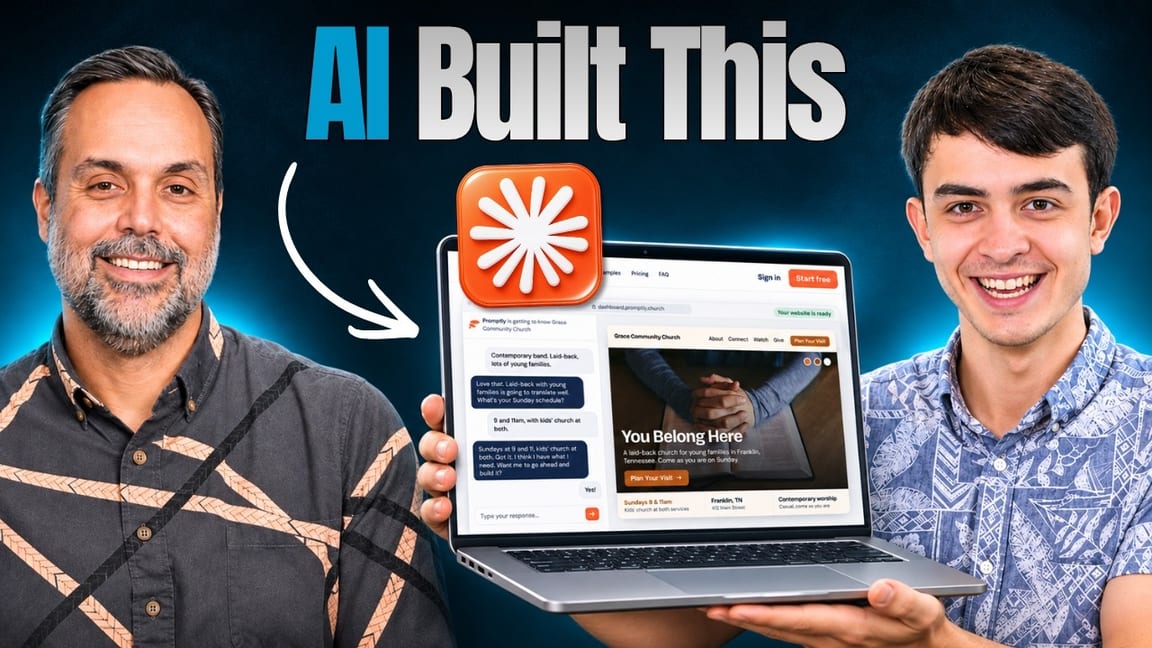
If you love the idea of an AI-built church website but aren’t ready to go all in on Claude Code, this is why we built Promptly. We launched it about a week before we recorded this episode. It’s a 100% AI church website builder that takes the simple parts of what I did with Claude and makes them usable by anyone who’s ever chatted with ChatGPT.
Here’s how it works:
- It asks you about 10 questions, and you can see a site right away. Go about 25 questions deep and it builds a much more complete site.
- You load your photos, your giving link, and your YouTube sermons. If you need stock photography, it pulls from a library of thousands of images matched to your church, so a rural church doesn’t look like an urban or suburban one.
- To make changes, you just chat. “Add a page about our missions team. They just went to Japan, here are two photos.” Don’t like where it put the page in your navigation? Tell it to move it.
The first church to launch on Promptly went from sign-up to clicking “go live” in 27 minutes and 43 seconds, and they didn’t have a website before that.
To be honest about the trade-off: Promptly isn’t as powerful as what I built with Claude. In tech, a closed sandbox like Squarespace is easy but limited. A wide-open sandbox like Claude has no limits but is harder to use. Promptly sits in the middle with the ease of the closed system. I think it’s better than 90% of the church websites I see, and it’s the right fit for churches of roughly zero to 200 people.
It’s improving every day, and there’s a free 14-day trial with no credit card required.
The Bottom Line
Two months ago, AI wasn’t ready to build church websites. Today it is, at least for churches with someone who has some web experience and is willing to put in the hours. For everyone else, there’s a middle path, and for some churches the conventional route with professional designers is still the right call.
These tools are improving fast, and we’ll keep testing them so you don’t have to.
Your Next Step
Not sure where your church website stands? We offer a free church marketing and website review. We’ll look at your site, your Google presence, your social media, and your overall digital strategy, then give you honest, specific recommendations you can actually use. No sales pitch. Just a real audit from the team that does this every day.
Turnaround is about 48 hours. It’s free for any church that asks.
More Resources
- Claude Code for Church Staff: A Real-World Pastor’s Guide
- The New AI Tool Most Churches Aren’t Prepared For
- What a Great Church Website Actually Needs in 2026
- How to Create the Perfect Church Giving Page
- Best Church Website Builders in 2026 (Ranked & Reviewed)
- Why Your Church Website Still Feels Outdated in 2026