Amazon Business for nonprofits is a free business account, not a discount program. If you came here hoping Amazon knocks a percentage off for churches, it doesn’t. I looked.
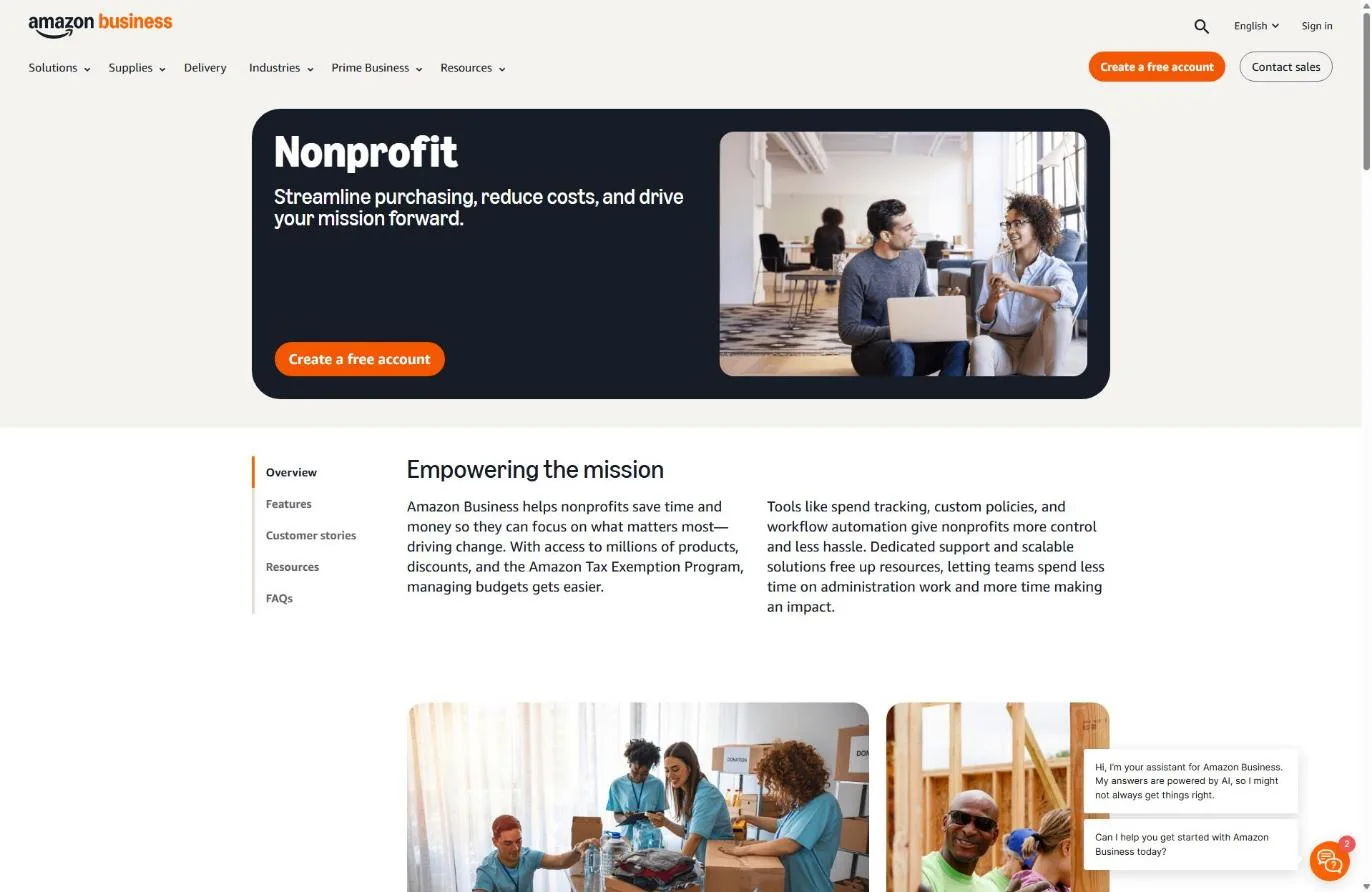
Amazon’s nonprofit page promises “business-only pricing and quantity discounts,” the same pricing any business account sees (Amazon Business nonprofit page, checked November 5, 2026). There is no nonprofit price list and no nonprofit rate for Prime Business, Amazon’s paid membership, on that page. What a church can actually get is sales tax taken off its orders through the Amazon Tax Exemption Program (ATEP).
That one is worth the setup. But it runs on a document most church offices don’t think about: your state’s sales tax exemption certificate, not your IRS letter.
Not sure your church can prove it’s tax exempt at all? Most churches never received an IRS determination letter, because the IRS doesn’t require churches to apply. Read how to prove your church is a nonprofit first. For Amazon, the IRS piece matters less than usual, but your state may still ask for proof of exempt status before it issues a certificate.
Does Amazon Business have a nonprofit discount?
Amazon Business does not have a nonprofit discount. The nonprofit page lists Donation Driver, Business Giving wish lists, the Amazon Tax Exemption Program, spending analytics and payment options such as invoicing, alongside “business-only pricing and quantity discounts” that every Amazon Business customer gets (Amazon Business, November 5, 2026). The page says nothing about churches or religious organizations either way, and its only button is “Create a free account.”
So the honest pitch for a church is smaller than the search results suggest, and still real. Here’s how what people expect lines up with what Amazon offers.
| What churches search for | What Amazon actually offers (Nov 2026) | Worth it for a church? |
|---|---|---|
| A nonprofit price discount | None. Business pricing and quantity discounts available to any business account | Free to have; savings vary by item |
| Tax-free purchases | Amazon Tax Exemption Program, US and Canada, with a valid state exemption | Yes, if your state exempts your church |
| Donors buying supplies for you | Business Giving wish lists and Donation Driver | Yes, for missions, VBS and benevolence drives |
| AmazonSmile donations | Closed. Amazon wound it down by February 20, 2023 | Gone; use wish lists instead |
| Prime Business (Business Prime) at a nonprofit rate | No nonprofit rate found on Amazon's nonprofit page | Judge it at regular price |
Sources: Amazon Business nonprofit and tax exemption pages, checked November 5, 2026; About Amazon AmazonSmile announcement.
Can a church use the Amazon Tax Exemption Program?
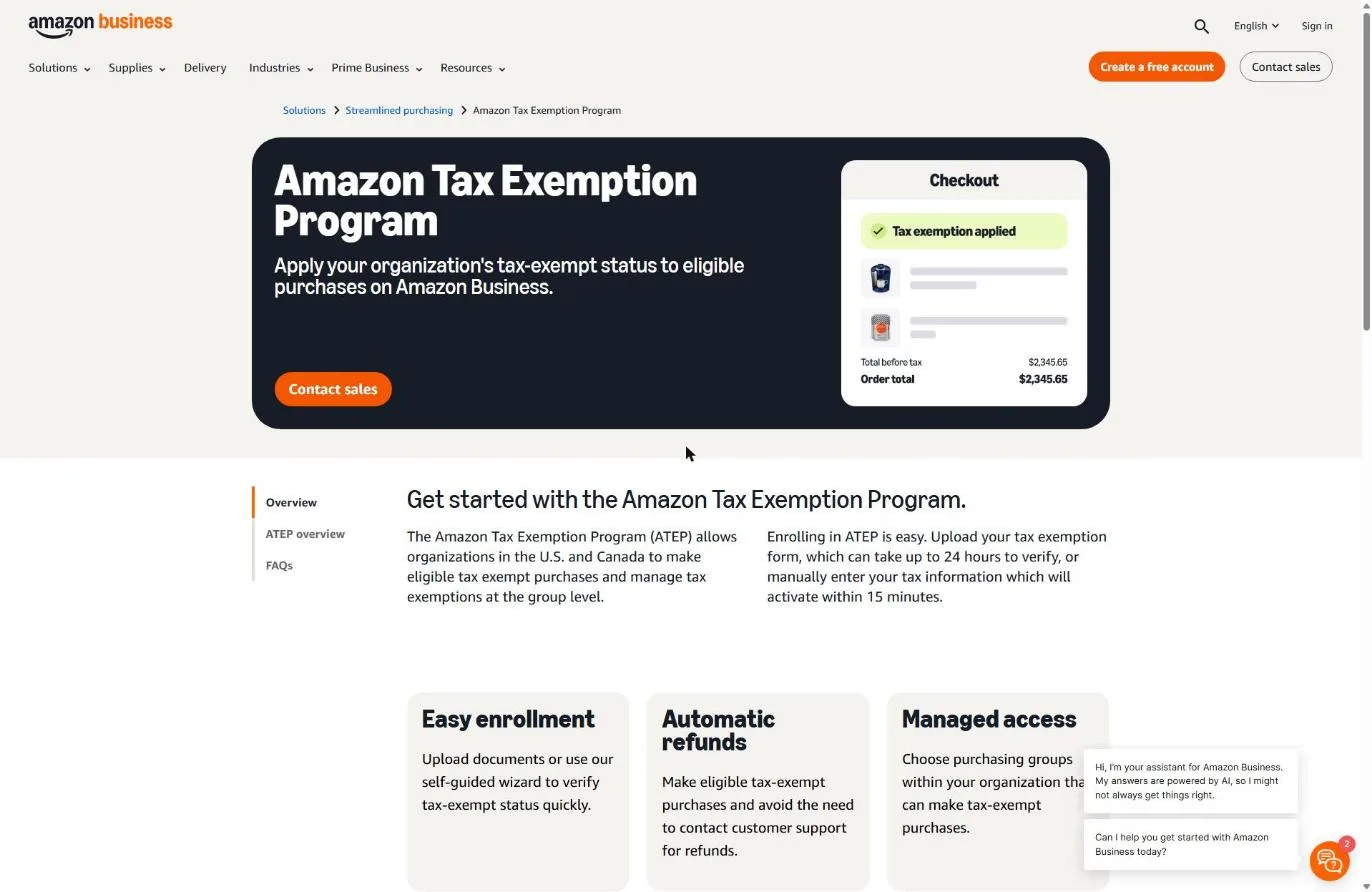
A church can use the Amazon Tax Exemption Program if its state treats the church as exempt from sales tax and gives it a certificate or exemption number to prove it. Amazon says ATEP “allows organizations in the U.S. and Canada to make eligible tax exempt purchases,” and once you’re enrolled, eligible orders skip sales tax without a call to customer support (Amazon Business tax exemption page, November 5, 2026).
Here’s the part that trips up churches. Sales tax belongs to the states, not the IRS. Your federal 501(c)(3) status, letter or no letter, does not by itself make your church exempt from your state’s sales tax. Amazon’s own help article spells out what it won’t take:
“We do not accept sales tax permits, articles of incorporation, tax licenses, IRS determination letters (unless required by state law), W9s, or certificate of registrations” (Amazon Help, checked November 5, 2026)
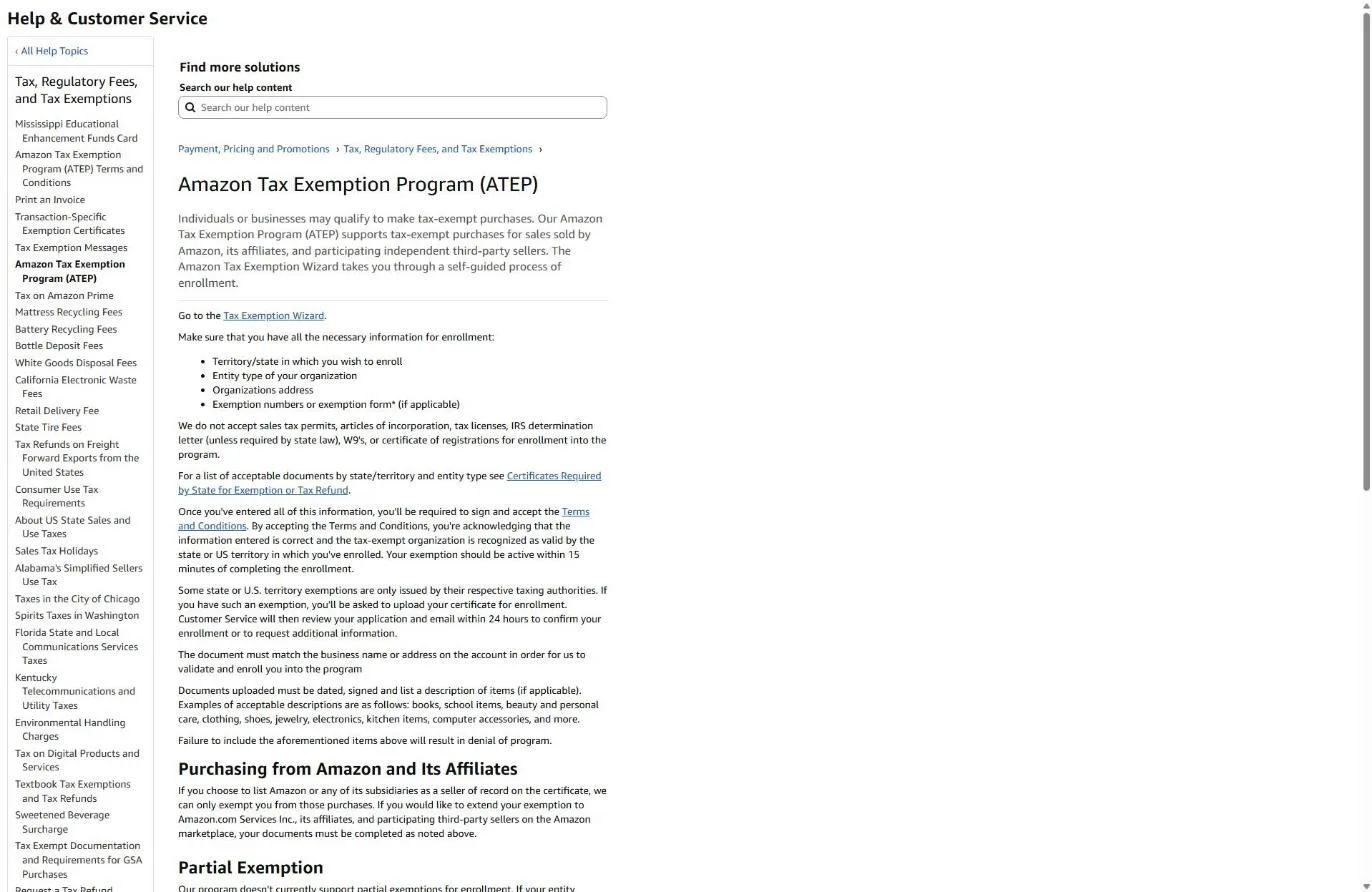
That flips the usual nonprofit-discount problem. For Canva or Google, the church without an IRS letter is the one that gets stuck. For Amazon, a church with a framed IRS letter and no state certificate gets stuck too. Amazon lists acceptable documents by state and entity type, and it does not say on any page I read which states exempt churches. Your state’s department of revenue is the place to ask.
| Document in your church office | Does Amazon accept it for ATEP? |
|---|---|
| State sales tax exemption certificate or exemption number | Yes, this is what the program runs on |
| IRS determination letter | No, unless your state's law requires it |
| Denomination's group exemption letter | Not listed as accepted; it's an IRS document, so treat it like the IRS letter |
| Articles of incorporation | No |
| W-9 | No |
| Sales tax permit or seller's license | No (a permit to collect tax is not an exemption from paying it) |
Source: Amazon Help, Tax Exemption Program enrollment article, and the Amazon Business tax exemption FAQ, checked November 5, 2026.
One more rule from Amazon’s FAQ: documents must be “signed, dated documents matching your account’s name or address.” If the certificate says “First Baptist Church of Springfield, Inc.” and the account says “FBC Office,” fix the account first.
How to set up Amazon Business for your church (step by step)
Setting up Amazon Business for a church takes two stages: create a free Amazon Business account in the church’s name, then enroll that account in the Amazon Tax Exemption Program. Amazon says the wizard route activates “within 15 minutes” and the upload route “can take up to 24 hours to verify” (Amazon Business, November 5, 2026). The account creation and tax wizard sit behind a sign-in, so steps 2 through 5 below follow Amazon’s help article rather than screenshots.
Step 1: Get your state exemption certificate in hand
Before you touch Amazon, find out whether your state exempts your church from sales tax on purchases and what document proves it. Look in your treasurer’s files for a state-issued certificate or exemption number. If you can’t find one, call or check the website of your state’s department of revenue.
Snag: some church offices have a certificate that expired or was issued under an old church name or address. Amazon matches name or address, so an old one can fail. Get a current copy.
Step 2: Create a church-owned Amazon Business account
Go to Amazon Business and select Create a free account. Use a church email address, such as office@ your church’s domain, not a staff member’s personal Amazon login. Purchasing history, invoices and the tax exemption all live in this account, and staff change.
Enter the church’s legal name exactly as it appears on the state certificate. That single choice prevents the most common mismatch later.
Step 3: Open the tax exemption settings
Once the account is active, Amazon’s help article gives the path: Business Settings, then Tax Exemption & licenses, then Tax exemption, then Add Tax Exemptions (Amazon Help, November 5, 2026). You’ll choose between Quick wizard setup and Manual document upload.
Step 4: Enter your exemption details
Amazon asks for the states where you claim exemption, your entity type, the organization’s name and address, and your exemption numbers or forms. Pick the entity type that matches how your state classifies the church. Amazon says it will “confirm the state tax IDs you enter with the state taxing authorities,” so a typo in the exemption number means a failed check.
The wizard is the faster path when your state gives you a number you can type in. Use the upload when your state issues a paper certificate.
Step 5: Wait for activation, then check an order
Wizard enrollments activate in about 15 minutes; uploads take up to 24 hours. Then place a small order and check the tax line before you trust it with the Christmas Eve candle order.
Snag: Amazon says “Our program doesn’t currently support partial exemptions.” If your state only partly exempts your church, the program won’t enroll you. Amazon’s FAQ points those organizations to email tax-exempt@amazon.com with documentation to request a refund, and that request has to be made for each qualifying purchase.
Step 6: Add the people who buy for the church
Add your office manager, children’s director and anyone else who orders supplies as users on the business account, so their purchases carry the exemption and land in one set of records. This is the quiet win. Staff who buy on personal Amazon accounts and submit receipts for reimbursement pay sales tax on every order and leave the treasurer chasing paper.
What if Amazon rejects your church’s tax exemption?
When Amazon can’t verify a church’s tax exemption, the cause is almost always the document or the details typed into the wizard, because Amazon checks your entries against the state. Amazon doesn’t publish a rejection list, but its stated rules (accepted documents, name or address match, state ID confirmation, no partial exemptions) point to five fixable problems.
| What went wrong | Why, per Amazon's rules | The fix |
|---|---|---|
| You uploaded your IRS letter | Amazon doesn't accept IRS determination letters unless state law requires them | Get your state's exemption certificate and upload that |
| Name or address mismatch | Documents must match the account's name or address | Update the account to the legal name on the certificate, or get a current certificate |
| Exemption number didn't check out | Amazon confirms state tax IDs with state taxing authorities | Re-enter it from the certificate; ask the state if the number is still active |
| Unsigned or undated form | Amazon wants signed, dated documents | Have an authorized church officer sign and date it, then re-upload |
| Your state only partly exempts churches | ATEP doesn't support partial exemptions | Email tax-exempt@amazon.com with documentation for each qualifying order |
Sources: Amazon Help enrollment article and Amazon Business tax exemption FAQ, checked November 5, 2026.
If your state doesn’t exempt churches from sales tax on purchases at all, no document fixes that, and ATEP isn’t for you. The business account can still be useful for wish lists and clean records.
What happened to AmazonSmile for churches?
AmazonSmile is gone. Amazon announced it would wind the program down “by February 20, 2023,” and gave each participating charity “a one-time donation equivalent to three months of what they earned in 2022 through the program” (About Amazon announcement, checked November 5, 2026). Amazon told charities they could still seek support from customers “by creating their own wish lists.”
Plenty of churches still have an old AmazonSmile link in a bulletin template or on a giving page. Delete it. Nothing replaced Smile with a percentage-of-purchase donation.
The closest thing is Business Giving. Amazon’s nonprofit page tells organizations to “Create lists through Business Giving and let donors send supplies directly to your organization.” That works well for things a church buys anyway: VBS crafts, nursery supplies, a missions team’s packing list, a benevolence pantry. It doesn’t replace your giving page. Cash gifts still go through online giving, and if you’re thinking about Facebook birthday fundraisers, read our guide to Facebook fundraising for nonprofits first.
Is Amazon Business worth it for a church?
Amazon Business is worth setting up for most churches that buy regularly on Amazon, because the account is free and the tax exemption, where your state allows it, saves money on every eligible order. A church that buys a few times a year can skip it.
What I’d skip is paying for extras on the promise of a nonprofit deal. Amazon’s nonprofit page shows no nonprofit rate for Prime Business (the paid membership some still call Business Prime), so judge it at its regular price against your own shipping volume. And don’t expect quantity discounts to do much for a church that orders one case of copy paper at a time.
The bigger win is control. One church account means one set of invoices, one place your treasurer can pull a spending report, and one record per purchase for the year-end review. If your bookkeeping still runs on reimbursement envelopes, pair this with the habits in our church finances guide and the right church accounting software.
For the programs that do give churches real discounts on software, see the full nonprofit software discounts list.
Frequently Asked Questions
Free Church Marketing Review for Your Church
Saving sales tax on supplies is good stewardship. Getting new families through the door is the mission. We'll look at your website, your local search presence, and how your church shows up when people nearby go looking, then give you a straight assessment and clear next steps, whether or not you ever become a client.
Related Guides
- Nonprofit Software Discounts for Churches: every program, and whether it accepts churches.
- How to Prove Your Church Is a Nonprofit: the IRS side of the paperwork, for every other program.
- Facebook Fundraising for Nonprofits: how churches enroll for Facebook and Instagram donations.
- Salesforce for Nonprofits: 10 free licenses, and why that isn’t a free system.
- Nonprofit Payment Processing Rates: what Stripe, PayPal and Square charge churches.
- TechSoup for Churches: the validator with the strictest church rules.
- Church Accounting Software: where those Amazon invoices should end up.