Salesforce for nonprofits runs through one program, Power of Us, and it gives an eligible nonprofit 10 Salesforce Nonprofit Cloud licenses at no cost. Pastors ask me two things about it. Will Salesforce take a church? And should we?
The first answer is yes, on paper. Salesforce’s eligibility guidelines list “Religious, charitable, scientific, literary, or educational” organizations as eligible (Salesforce Power of Us eligibility guidelines, checked November 5, 2026). Religion is named, not excluded.
The second answer is usually no. Ten free licenses are not a free system. Somebody has to build it, and somebody has to run it every week. For most churches, a church management system does the job with far less work. I’ll show you how to apply anyway, because some churches really are the exception.
No IRS determination letter in your files? Most churches don’t have one, because the IRS never required them to apply. Read how to prove your church is a nonprofit before you start. Salesforce’s page names only one document, so this matters more here than with most programs.
Can a church get Salesforce for nonprofits?
A church can get Salesforce for nonprofits if it can show IRS recognition as a 501(c)(3). The Power of Us eligibility guidelines say Salesforce will consider “Religious, charitable, scientific, literary, or educational” nonprofits, and in the US that means “organizations with tax exempt status” under 501(c)(3) or 501(c)(4) (Salesforce eligibility guidelines, 2023 edition, still the linked version on November 5, 2026).
That is friendlier wording than several programs I’ve checked this year. Slack and Airtable exclude churches outright, and TechSoup turns away churches that self-declare (the full list of nonprofit software discounts shows where each program stands). Salesforce names religious organizations on the list of who is welcome.
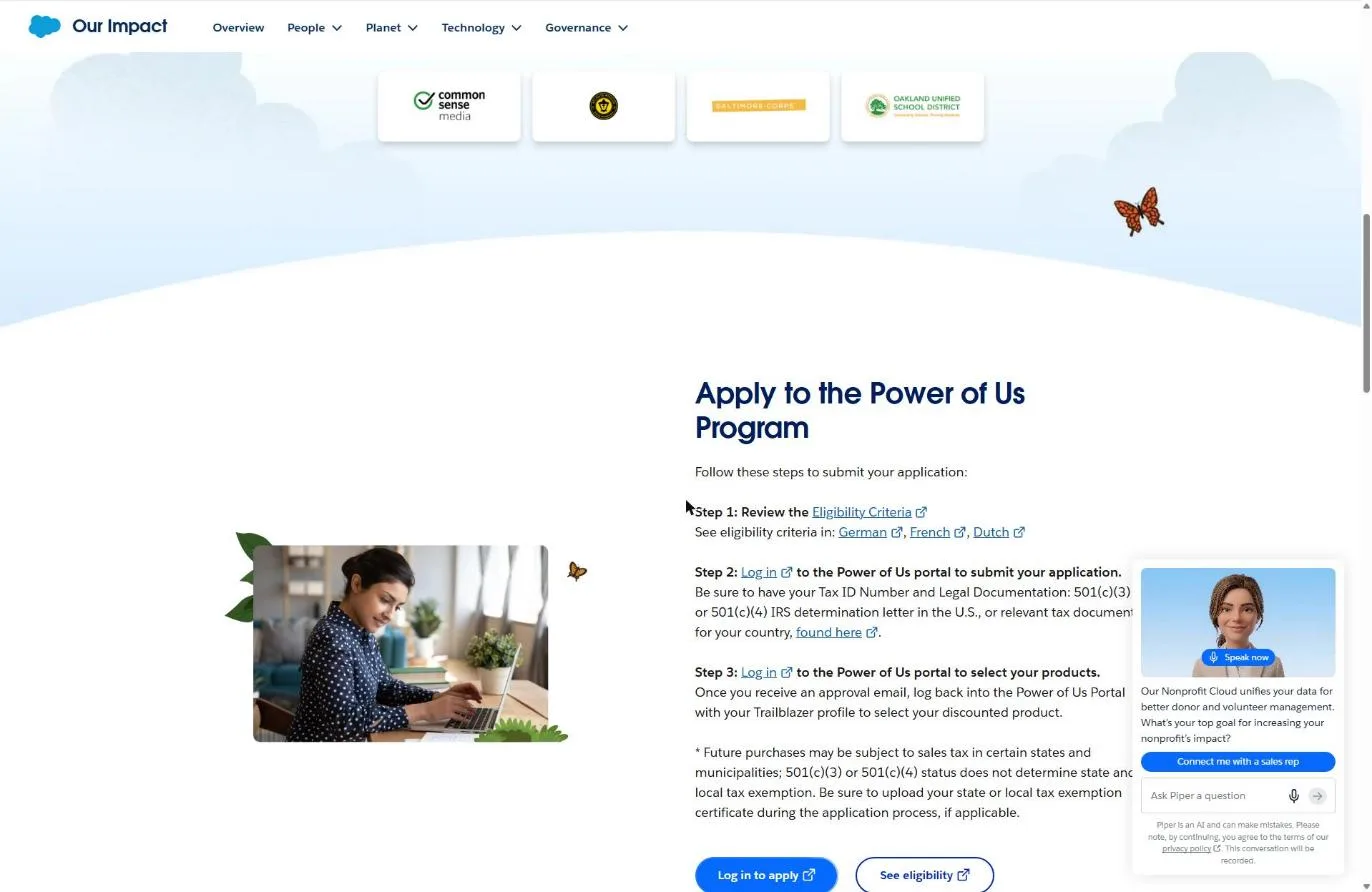
The catch sits in the application, not the eligibility page. Step 2 of the Power of Us apply flow tells you to have your “Tax ID Number and Legal Documentation: 501(c)(3) or 501(c)(4) IRS determination letter in the U.S.” (Salesforce Power of Us page, November 2026). A church that never applied to the IRS has no such letter. And the guidelines keep the usual escape hatch: “Final determination of eligibility will be made at our sole discretion.”
What if our church doesn’t have a 501(c)(3) letter?
Your path depends on which kind of church you are. Salesforce’s pages don’t address churches without letters at all, so here is how I’d read it.
| Your church | What you can upload | Odds with Salesforce |
|---|---|---|
| Has its own IRS determination letter | That letter plus your EIN. This is exactly what Salesforce asks for. | Good |
| Covered by a denomination's group exemption | Your own EIN, the denomination's group exemption letter, and a letter on denominational letterhead naming your church | Unclear: Salesforce's page doesn't say whether it accepts group exemption documents |
| Independent, never applied | Nothing that matches the named document | Poor until you file IRS Form 1023 |
Based on the Power of Us page and eligibility guidelines, checked November 5, 2026. Salesforce publishes no church-specific rules.
New Hope Hawaii Kai, where I serve as Executive Pastor, is a Foursquare church under the denomination’s group exemption. We have no letter of our own. If we applied, we’d send the group exemption paperwork and see what Salesforce said, because the page leaves it open. The foundation guide explains each path, and our 501(c)(3) guide for churches covers whether filing Form 1023 is worth it.
What does Salesforce Nonprofit Cloud cost after the 10 free licenses?
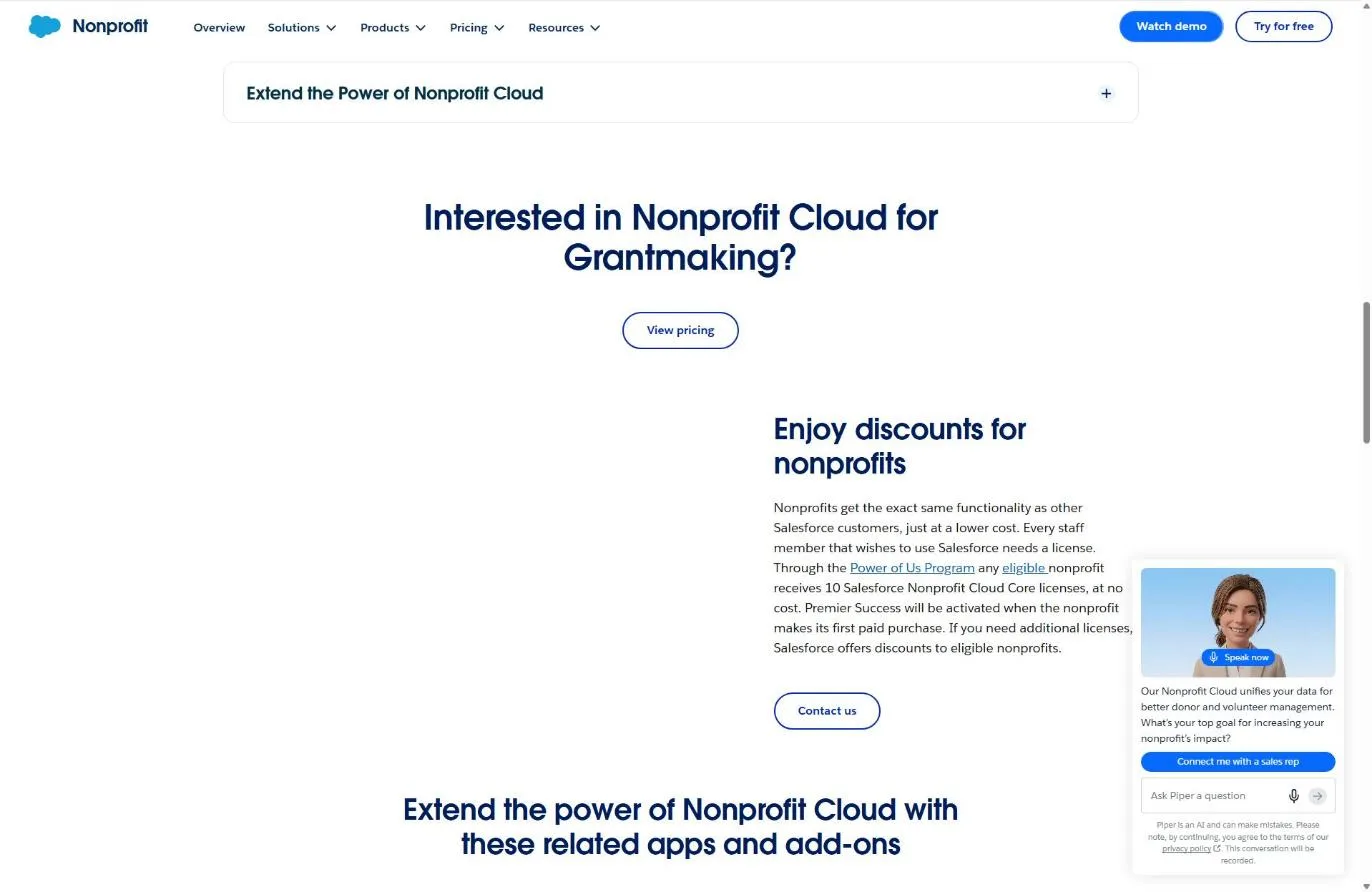
Salesforce Nonprofit Cloud costs $70 per user per month at list price for the entry edition, Sales & Service Core, billed annually, after your 10 free licenses (Salesforce Nonprofit Cloud pricing page, November 5, 2026). Salesforce says it “offers discounts to eligible nonprofits” on extra licenses but publishes no percentage, so you only learn your price by talking to sales.
| Nonprofit Cloud edition | List price | One extra user for a year, at list |
|---|---|---|
| Sales & Service Core (the 10 free licenses) | $70 per user per month | $840 |
| Sales & Service Advanced | $125 per user per month | $1,500 |
| Sales Max | $285 per user per month | $3,420 |
| Service Max | $285 per user per month | $3,420 |
Source: salesforce.com/nonprofit/pricing, checked November 5, 2026. Billed annually; "These editions require an annual contract." Nonprofit discounts on extra licenses are quoted by Salesforce sales.
At list price, 10 Core licenses would run $8,400 a year. That’s the value of the grant. The 11th user, at list, adds $840 a year before any discount Salesforce offers you.
Two more lines on that page matter. Premier Success “will be activated when the nonprofit makes its first paid purchase.” And the page now leads with Agentforce, Slack and Flex credits, which tells you who Salesforce is building for: organizations with staff to run it.
NPSP vs Nonprofit Cloud: which one would a church get?
A church starting fresh in 2026 would get Nonprofit Cloud, which is what Power of Us now grants. The older Nonprofit Success Pack (NPSP) still exists and still works, but Salesforce steers new customers to Nonprofit Cloud.
The difference is how each one is built. NPSP is a free add-on package that sits on top of the Salesforce platform (Salesforce managed packages page, November 2026). When Salesforce launched the new Nonprofit Cloud in March 2023, its nonprofit team said that “rather than layering nonprofit applications on top of the platform,” it would now build “more directly into the core of Salesforce” (Salesforce Trailblazer Community, March 2023).
| Nonprofit Success Pack (NPSP) | Nonprofit Cloud | |
|---|---|---|
| How it's built | Free add-on package on top of the Salesforce platform | Built into the Salesforce core |
| Status | "Will continue to be supported," per Salesforce | Salesforce's current nonprofit product |
| For new customers | Not where Salesforce points new nonprofits | The product Salesforce prices and grants to new nonprofits |
| What Power of Us grants | Not the current grant | 10 Nonprofit Cloud Core licenses |
Sources: Salesforce managed packages page, Salesforce Trailblazer Community (March 2023) and Nonprofit Cloud pricing page, checked November 5, 2026.
If your church already runs NPSP because a volunteer set it up years ago, nothing forces you off it today. Salesforce says NPSP “is used by thousands of organizations and will continue to be supported” (Salesforce managed packages page, November 2026). Moving to Nonprofit Cloud is a migration project, not a toggle, so price it before anyone promises it.
How to apply for Salesforce Power of Us (step by step)
You apply for Power of Us through a portal on salesforce.com, upload your IRS paperwork, and come back after approval to pick your product. Salesforce lays it out in three steps and says to allow up to three days for review.
Step 1: Review the eligibility criteria
Go to salesforce.com/company/power-of-us/ and open See eligibility. It links to the 2023 eligibility guidelines PDF, which Salesforce still uses as of November 5, 2026, in English, German, French and Dutch.
Read two lines closely. The US test is 501(c)(3) or 501(c)(4) tax-exempt status. And fiscally sponsored organizations are considered “case by case,” which matters if your ministry runs under another church’s umbrella.
Step 2: Gather your documents
Put these in one folder before you log in:
- Your church’s EIN (Salesforce calls it the Tax ID Number).
- Your 501(c)(3) IRS determination letter. For a group-exempt church, the denomination’s group exemption letter plus a letter naming your church.
- Your state sales tax exemption certificate, if your state issues one and you want tax off any future purchase.
That third item trips people up. Salesforce’s page says “501(c)(3) or 501(c)(4) status does not determine state and local tax exemption,” and asks you to upload a state exemption certificate “if applicable.” Your federal letter doesn’t cover it.
Write down your church’s exact legal name as it appears on the IRS paperwork. Use that spelling everywhere.
Step 3: Submit through the Power of Us portal
Select Log in to apply. The application lives behind a Salesforce sign-in (Salesforce calls it your Trailblazer profile), so you’ll create or use one, then fill in the form and upload your documents. I stopped at the sign-in screen, so I can’t show you the form itself.
Apply as the church, from a church email address, with someone who’ll still be on staff next year. Whoever owns this login owns the relationship with Salesforce.
Step 4: Watch for the approval email
Salesforce says to “allow up to three days” for review. Check spam, and make sure whoever owns the church inbox knows to watch for it.
Step 5: Log back in and choose your product
After approval, Salesforce tells you to log back in and pick the discounted product. For a new church org, that’s Nonprofit Cloud and your 10 Core licenses. Don’t buy extra licenses or add-ons at this step until you know who will build and run the system, because the editions carry an annual contract.
What if Salesforce rejects your church?
If Salesforce rejects your church, the reason is almost always the paperwork, because the eligibility list already names religious organizations. Salesforce doesn’t publish a list of rejection reasons, so the table below maps the gaps between its stated requirements and how churches are usually organized.
| Likely snag | Why it happens to churches | The fix |
|---|---|---|
| No determination letter | Churches are tax exempt automatically and many never applied | Group-exempt: send the denomination's documents. Independent: file Form 1023 |
| Name mismatch | The form says "Grace Church," the IRS letter says "Grace Community Church of Springfield, Inc." | Use the exact legal name from your IRS paperwork |
| EIN doesn't match the letter | A group-exempt church entered the denomination's EIN, or the reverse | Enter your church's own EIN and show how the group letter covers you |
| Fiscally sponsored ministry | A church plant or campus applies under its sending church's status | Expect "case by case" review; consider applying as the sending church |
| Sales tax still charged | 501(c)(3) status doesn't set state tax exemption | Upload your state exemption certificate, if your state issues one |
Based on the Power of Us page and eligibility guidelines, checked November 5, 2026.
Should a church use Salesforce at all?
Most churches should not use Salesforce, even free. A church management system (ChMS) already knows what a household, a small group, a check-in and a giving statement are. Salesforce has to be taught all of that, by someone, before your office manager can use it.
REACHRIGHT runs on a CRM because we have a sales pipeline. A church doesn’t have a sales pipeline. It has families, volunteers, kids’ check-in, small groups and year-end giving statements. Purpose-built church software handles that list on day one.
Salesforce’s own pricing page points nonprofits toward “Professional Services and Salesforce Certified Partners for the expertise, agents, and apps needed.” Read that plainly: the license is free, but the setup usually isn’t. You’ll pay a consultant, or you’ll spend a staff member’s time learning to be a Salesforce admin, and then you’ll keep paying that time every week the system runs.
Here’s when Salesforce does make sense for a church:
- You run a large ministry with its own fundraising staff, major donors, grants and a development office.
- You operate programs that look like a nonprofit agency (a counseling center, a school, a relief ministry) and need case management or program tracking.
- You already have a Salesforce admin on staff or a long-term volunteer who does this for a living.
If none of those fit, compare church management systems by size in our church management software guide, and look at the free church software roundup before you spend anything. If you want a nonprofit CRM for donors only, our HubSpot for nonprofits guide covers the other big name, and it’s also usually more than a church needs.
Frequently Asked Questions
Free Church Marketing Review for Your Church
A database only helps if new people are finding your church in the first place. We'll look at your website, your local search presence, and how your church shows up when people nearby go looking. You get a straight assessment and clear next steps, whether or not you ever become a client.
Related Guides
- Nonprofit Software Discounts for Churches: every program, and whether it accepts churches.
- How to Prove Your Church Is a Nonprofit: the documents behind every application on this list.
- Church Management Software by Church Size: what most churches should use instead of a general CRM.
- Free Church Software: tools that cost nothing and need no consultant.
- HubSpot for Nonprofits: the other big CRM discount, and who it fits.
- Microsoft 365 for Nonprofits: what’s free and discounted after the 2025 changes.
- TechSoup for Churches: the validator with the strictest church rules.