Facebook fundraising for nonprofits covers the fundraisers and donate buttons that let people give to a charity without leaving Facebook or Instagram. Pastors ask me two things about it: can a church use it, and should we?
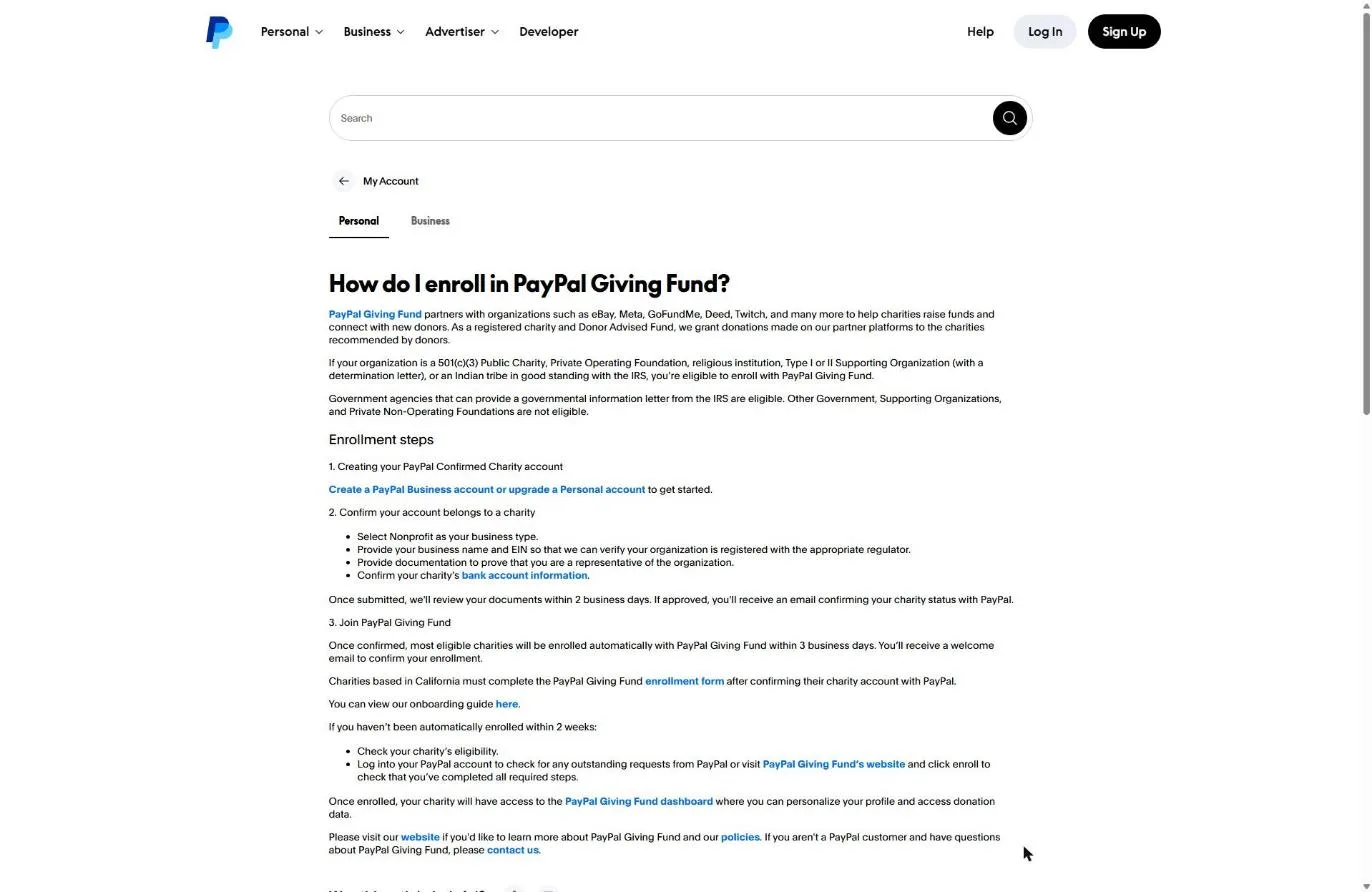
Yes, a church can use it. Since December 16, 2024, US nonprofits using Meta’s fundraising tools must be enrolled with PayPal Giving Fund, and PayPal’s enrollment article lists “religious institution” by name as eligible (Facebook Help Center and PayPal Help, checked November 5, 2026).
Whether you should is a different question. A Facebook gift goes to PayPal Giving Fund first, PayPal Giving Fund sends the donor the receipt, and your church gets paid at the end of the month. Facebook doesn’t support recurring donations. That makes it a good tool for a member’s birthday fundraiser and a poor home for your tithes.
No IRS determination letter in your files? Most churches don’t have one, because the IRS never required churches to apply. That matters here: Meta’s PayPal Giving Fund document list includes the “Organization’s IRS Tax determination letter.” Read how to prove your church is a nonprofit before you start. It covers your own letter, a denominational group exemption, and filing Form 1023.
Can churches use Facebook fundraising tools?
Churches can use Facebook fundraising tools. PayPal Giving Fund, Meta’s only US donation partner, lists who can enroll: 501(c)(3) public charities, private operating foundations, Type I or II supporting organizations (with a determination letter), Indian tribes, and “religious institution,” each in good standing with the IRS (PayPal Help, checked November 5, 2026).
Most nonprofit programs I checked for this series say nothing about churches either way, and a few exclude them. PayPal Giving Fund puts churches on the yes list in writing.
Meta adds its own gate on top. To apply for Meta’s Fundraising Tools, a nonprofit must be registered with an acceptable registry, be based in the US, UK, Canada or Australia, be enrolled with PayPal Giving Fund, and confirm “the PayPal Giving Fund profile matches your EIN or tax ID on record” (Facebook Help Center, November 5, 2026). The application also asks you to confirm “good standing with IRS.”
How Facebook fundraising works in 2026
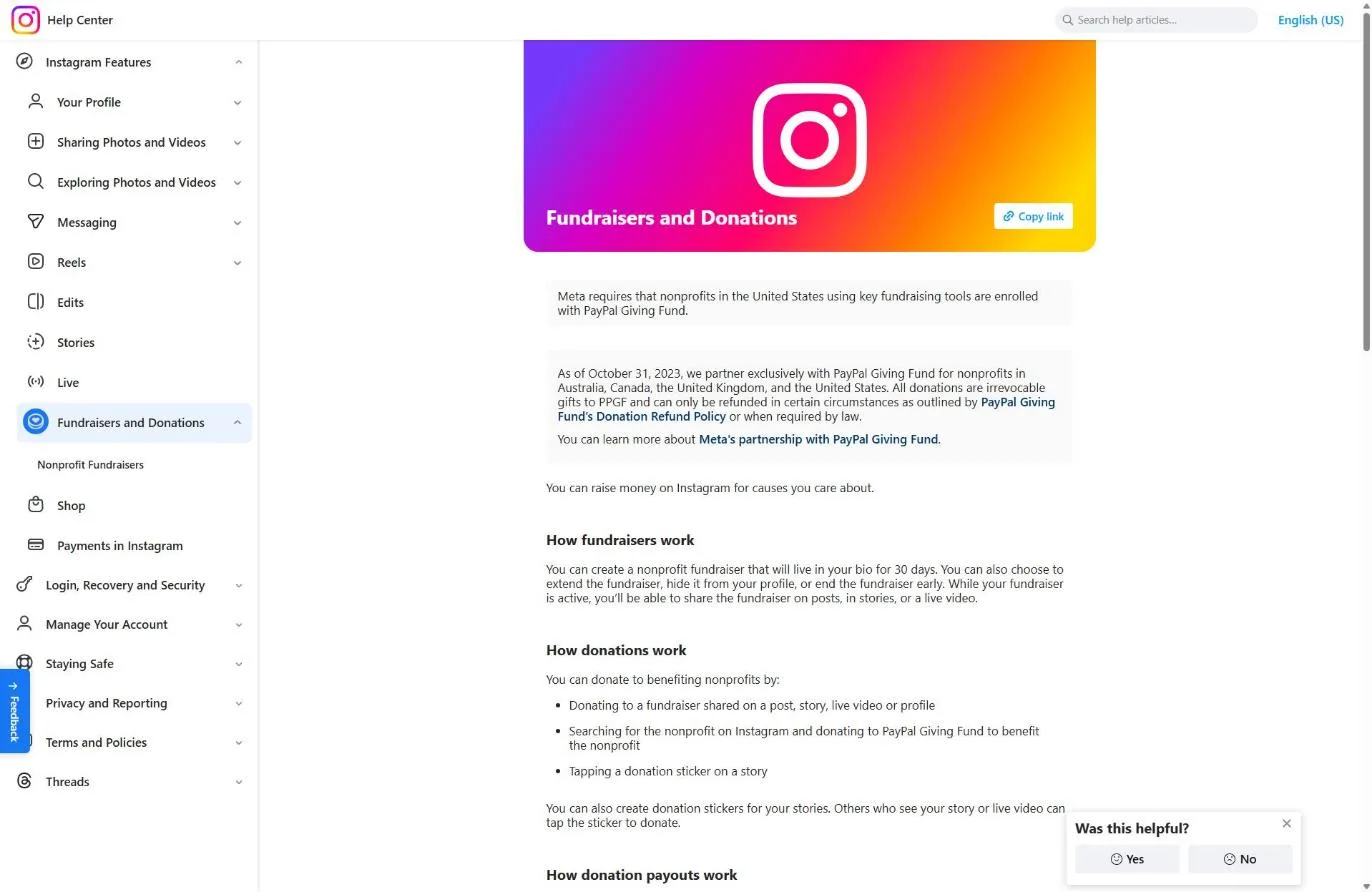
Facebook fundraising in 2026 is narrower than most church leaders remember. Meta says it partners “exclusively with PayPal Giving Fund” for nonprofits in Australia, Canada, the UK and the US since October 31, 2023, and three older features are gone (Facebook Help Center, checked November 5, 2026):
- Personal fundraisers ended: you are “no longer able to create, share, or donate to personal fundraisers.” Only nonprofit fundraisers remain.
- Community (group) fundraisers ended October 28, 2022.
- Recurring gifts: “We do not support recurring donations at this time.”
The first change hits churches hardest. A missionary or student raising trip support can no longer run a personal fundraiser for themselves. They can run a nonprofit fundraiser for your church, which means the money comes to the church and your missions policy decides how it’s applied.
The gift path is simple. Meta calls donations “irrevocable gifts to PPGF.” PayPal Giving Fund processes the gift and says it will “provide a receipt to the donor,” then grants the money to your church (PayPal Giving Fund home page, November 2026). Meta says donor contact information reaches you only for donors who opt in to emails.
What does Facebook fundraising cost a church?
Facebook fundraising costs a church either nothing or 1.99% + $0.49 per gift, and Meta’s two fee statements don’t say exactly where the line falls. Meta’s payouts page says that for US dollar donations to US nonprofits, “the payment processing fee is 1.99% + $0.49 USD.” Its birthday fundraiser page says that when you start a nonprofit fundraiser on Facebook, “we cover all processing fees for donations” (Facebook Help Center, both checked November 5, 2026).
My read: gifts to a Facebook fundraiser a member starts for your church should carry no processing fee, and the 1.99% + $0.49 rate is what Meta lists for US dollar donations generally. Neither page says which rate applies to a donate button on your Page or to Instagram gifts. On a $100 gift at the listed rate, the fee is $2.48 (my math). Check the donation details before a big campaign, since Meta can change either page.
Payout timing depends on enrollment. Meta’s payouts table says processing runs 15 to 90 days “after a donation, depending on enrollment.” Its PayPal Giving Fund page says enrolled nonprofits are paid “within 45 days. Payouts are issued at the end of the month,” and unenrolled US nonprofits get a check within 45 days.
Don’t confuse this with PayPal’s own charity rate, which covers PayPal payments on your website. That rate is also 1.99% plus a fixed fee, but it applies to money paid into your PayPal account, not to Facebook grants. My guide to nonprofit payment processing rates covers it.
How to set up fundraising on Facebook for your church (step by step)
You set up Facebook fundraising for a church in two stages: PayPal Giving Fund enrollment, then Meta’s Fundraising Tools application. The steps below come from Meta’s and PayPal’s help centers as read on November 5, 2026. I did not submit an application, so the screens past sign-up are described from those articles.
Step 1: Get your church’s Facebook Page ready
Meta’s Page requirements come first, and a Page that misses one can’t apply. Per the Facebook Help Center, you must be an admin of the church’s Page, and the Page must:
- Show the church’s address in About, with the map public
- Have “Nonprofit Organization” or “Charity Organization” as its first category
- Be published, at least 2 days old, with at least 1 post
- Have a cover photo and a profile picture, and follow Community Standards
Snag: plenty of church Pages are categorized as “Church” or “Religious Organization.” Change the first category to Nonprofit Organization before you apply.
Step 2: Create a PayPal Business account and gather documents
Start a PayPal Business account in the church’s legal name, from a church email address, and choose Nonprofit as the business type. Don’t convert a personal account someone has been “borrowing.” Meta’s help center lists what PayPal Giving Fund enrollment asks for:
- Account holder: email, date of birth, home address, photo ID
- Bank: the church's bank account plus a bank statement or voided check
- Church: legal name, EIN, address, website URL, anticipated monthly donations
- The organization's IRS tax determination letter
- Profile: mission statement, call to action, cause area, logo
Use the exact legal name from your IRS paperwork. If your church sits under a denomination’s group exemption, put your own EIN letter and the group exemption paperwork in the same folder. Meta’s list names a determination letter, and PayPal’s eligibility line doesn’t say what it accepts in place of one.
Step 3: Confirm nonprofit status and wait for enrollment
PayPal asks you to “provide documentation to prove that you are a representative of the organization” and reviews documents within 2 business days (PayPal Help, November 2026). Meta’s page says eligible nonprofits then get an email confirming status and “automatically be enrolled with PayPal Giving Fund.” PayPal says most are enrolled within 3 business days.
Two exceptions from PayPal: California nonprofits also complete the PayPal Giving Fund enrollment form, and if you aren’t enrolled within 2 weeks, check your eligibility.
Step 4: Apply for Meta’s Fundraising Tools
With enrollment done, a Page admin applies for Meta’s Fundraising Tools. The application asks for good standing with the IRS, your category, the church’s name, address, phone and tax ID, and the name, date of birth and address of the “CEO or highest-ranking official” (Facebook Help Center, November 2026). For a church, that is usually the lead or senior pastor, or whoever your bylaws name.
Snag: “Incomplete applications can’t be saved.” Get the pastor’s date of birth and home address before you open the form.
Step 5: Turn on fundraisers and donate buttons
Enrolled nonprofits have fundraisers turned on automatically, per Meta. To check or re-enable them, go to Nonprofit Manager on a computer, then Settings, then Fundraising. Check “Allow people to create fundraisers” and “Allow people to add donate buttons to their posts,” check “Allow people to raise money on Instagram” if Instagram is connected, and Save. Meta says donate buttons appear “on page headers and posts.”
Step 6: Set up Instagram
Instagram has three requirements, per the Instagram Help Center: the church must be approved for Facebook fundraising tools, switch to a professional account, and link its Instagram business account to its verified Facebook Page. Then add the Support button: Profile, Menu, Business tools and controls, Donations, and turn on “Add Support Button to Profile.” Donors who tap Support can give or start a fundraiser.
Instagram fundraisers, the donate sticker and Live fundraisers work in the app only, not on a computer. Meta’s Instagram help also says a fundraiser stays in your bio for 30 days.
Step 7: Show members how to start a birthday fundraiser
A birthday fundraiser is the tool that reaches people your church doesn’t. Meta’s steps on a computer: from the birthday promotion in Feed, pick a suggested nonprofit or search for your church. Fill in “Let’s start with the basics” (nonprofit, goal, currency, end date), then “Tell your story” (title and why), pick a cover photo, and select Create. Then invite friends and share.
Put those steps in your church email the month before a few members’ birthdays, with your church’s exact Page name so they find the right one.
What if Meta or PayPal turns your church down?
Meta and PayPal turn applications down for different reasons. Meta’s help center says “Facebook can deny any organization access to Fundraising Tools” and lists three denial reasons (Facebook Help Center, November 5, 2026). PayPal’s issues are paperwork.
| Reason | Source | What to do |
|---|---|---|
| Not actively registered with an eligible registry | Meta | Confirm your church's tax-exempt proof and EIN match what PayPal Giving Fund has on file |
| Community Standards or Legal Terms violations | Meta | Review the Page and its content against Meta's policies |
| Public statements praising or supporting an ideology "that attacks people based on protected characteristics" | Meta | Meta applies this to the organization or its leadership; its list of characteristics includes religious affiliation, sexual orientation and gender identity |
| Name or EIN mismatch | PayPal | Re-enter the exact legal name and EIN from IRS paperwork |
| Not enrolled after 2 weeks | PayPal | Check eligibility; California churches complete the PayPal Giving Fund form |
Sources: Facebook Help Center and PayPal Help, checked November 5, 2026.
An independent church with no determination letter and no group exemption has the hardest road, since Meta’s document list names the letter. Our post on 501(c)(3) status for churches covers whether filing Form 1023 is worth it.
Is Facebook fundraising worth it for a church?
Facebook fundraising is worth it for one job: letting your members raise money from friends your church will never reach. With personal fundraisers gone and recurring gifts unsupported, what’s left is one-time nonprofit fundraisers and donate buttons. Those fit birthdays, a missions push run as a church fundraiser, and disaster relief when your community gets hit.
Your weekly giving belongs on your own giving page.
| Question | Facebook or Instagram | Your own giving page |
|---|---|---|
| Who receives the gift | PayPal Giving Fund, then a grant to you | Your church |
| Who sends the tax receipt | PayPal Giving Fund | Your church |
| Recurring gifts | Not supported | Yes, on most platforms |
| When money arrives | Within 45 days, at month's end, if enrolled | Your processor's deposit schedule |
| Donor contact info | Only donors who opt in to emails | Every giver |
| Reaches new people | Yes, through members' friends | Only people already on your site |
Facebook column from the Facebook Help Center and PayPal Giving Fund, checked November 5, 2026.
Since PayPal Giving Fund receipts the donor, talk with your accountant about how to record these grants so a Facebook gift doesn’t land on your year-end statements too.
For your main giving tool, I compared platforms in the best online giving platforms for churches, and how to build a church giving page covers the page. For the Page your fundraisers point back to, see Facebook strategies your church should be using and our guide to Instagram for churches. If YouTube is your bigger channel, the YouTube Nonprofit Program works differently.
Frequently Asked Questions
Free Church Marketing Review for Your Church
A Facebook fundraiser sends new people to your Page, and your Page sends them to your website. We'll look at your website, your local search presence, and how your church shows up when people nearby go looking. You get a straight assessment and clear next steps, whether or not you ever become a client.
Related Guides
- Nonprofit Software Discounts for Churches: every program, and whether it accepts churches.
- How to Prove Your Church Is a Nonprofit: the documents behind every application on this list.
- Nonprofit Payment Processing Rates: PayPal’s charity rate, Stripe and Square for churches.
- YouTube Nonprofit Program: what YouTube gives churches, and how YouTube Giving differs.
- Best Online Giving Platforms for Churches: where your regular giving should live.
- Nonprofit Discounts on Email and Social Media Tools: Mailchimp, Hootsuite, Buffer and more.