TechSoup is a nonprofit marketplace where churches and other nonprofits request donated and discounted software and hardware from companies like Intuit, Microsoft and Adobe. It’s legit. It’s also not free, and a church only gets in with the right IRS paperwork.
Most pastors hear about TechSoup from another church admin: “Get QuickBooks through TechSoup, it’s way cheaper.” That advice is still good in November 2026. A lot of the other TechSoup advice floating around is two years out of date. Zoom left. Most of Adobe left. Microsoft stopped donating its best license.
So here’s what TechSoup is, whether your church qualifies, what it costs, and the one or two things still worth buying there.
Before you start: if your church has never received its own IRS determination letter and you don’t know whether your denomination holds a group exemption, stop here and read how to prove your church is a nonprofit. It walks through the three paths, and it will save you a rejected application.
What is TechSoup?
TechSoup is a 501(c)(3) nonprofit that runs a marketplace of donated and discounted technology for other nonprofits. It started in San Francisco in the late 1980s as the CompuMentor Project, matching volunteer tech professionals with local charities, and later shifted to product donations. You join, TechSoup confirms your nonprofit status once, and then you request products from its donor partners for a small admin fee.
TechSoup’s home page names Microsoft, Adobe, Dell and Intuit as offer sources (TechSoup, November 2026). The model works like this: the tech company donates or discounts the product, TechSoup handles the eligibility check and distribution, and your church pays TechSoup an admin fee instead of the retail price. Some companies, like Slack, use TechSoup only to verify you (more on that trap below).
Is TechSoup legit?
Yes, TechSoup is legit. It has operated for nearly four decades, files public IRS returns, and the software companies themselves send nonprofits there. Its Candid (GuideStar) profile reports that in fiscal year 2025 TechSoup connected more than 300,000 civil society organizations with over 554,000 hardware and software licenses.
The strongest proof comes from the vendors. Intuit’s own nonprofit page answers “Does QuickBooks offer a discount for nonprofit organizations?” by pointing to TechSoup, and it names churches specifically (Intuit, November 2026). Adobe’s Help Center says access to Creative Cloud for nonprofits “is administered through our marketing partner, TechSoup.”
The complaints you’ll find online are about admin fees, not fraud. That’s fair criticism, and the real numbers are below.
TechSoup is legit, but for most churches in 2026 it comes down to one product: request QuickBooks Online for an $80 yearly admin fee, and buy most everything else from the vendor directly.
Does TechSoup accept churches?
TechSoup accepts churches only if the IRS has recognized their 501(c)(3) public charity status, either through the church’s own determination letter or through its denomination’s group exemption. TechSoup’s places-of-worship article (November 2026) says “Places of worship that are automatically tax-exempt, or self declare, are not eligible.” It also says there are no exceptions, because the rules come from TechSoup’s agreements with its donors.
That rule surprises a lot of pastors. The IRS treats churches as tax-exempt automatically, so plenty of healthy churches have never filed Form 1023. They’re legal, they’re exempt, and TechSoup still can’t approve them.
The group exemption path for denominational churches
If your church belongs to a denomination that holds a group ruling from the IRS, you can qualify through that ruling. Per TechSoup’s places-of-worship article (November 2026), the Group Exemption Letter must:
- Come from an officer of your national parent denomination.
- Confirm your church is a subordinate under the denomination’s group ruling.
- Be on the denomination’s letterhead and signed by a representative.
- Usually include a directory or introduction packet.
Here’s the detail that trips people up: TechSoup tells group-exempt churches to use the parent denomination’s EIN, not the church’s own EIN. Google for Nonprofits does the opposite. Its group-exemption article says group exempt organizations “must supply their own EIN” plus proof of the group exemption.
My church, New Hope Hawaii Kai, is a Foursquare church covered by the denomination’s group exemption. So for us, the same church would enter two different EINs on two different nonprofit programs. If you serve a denominational church, write that down now. It’s the most common reason a group-exempt application stalls.
How do I register my church with TechSoup?
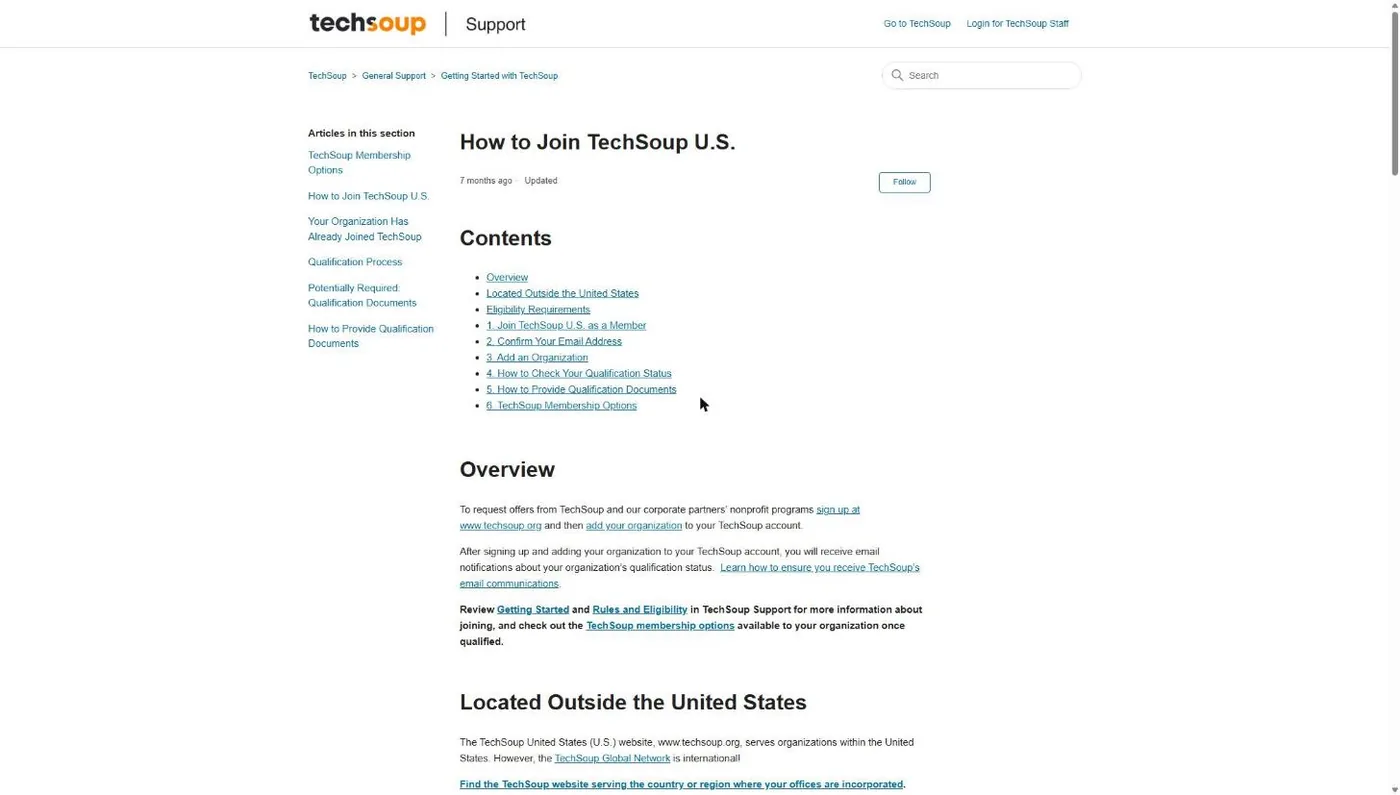
Registering a church with TechSoup takes six steps, and TechSoup says qualification reviews are “typically completed within two business days” (TechSoup’s How to Join article, November 2026). You create a personal member login, attach your church as an organization, and wait for TechSoup to confirm your status. Gather your EIN, annual budget, and IRS or group exemption letter before you begin.
Step 1: Confirm which letter your church holds
Open TechSoup’s Places of Worship and Religious Organizations Eligibility article and read it against your paperwork. You should be holding one of two things: an IRS determination letter in your church’s legal name, or a group exemption letter from your denomination.
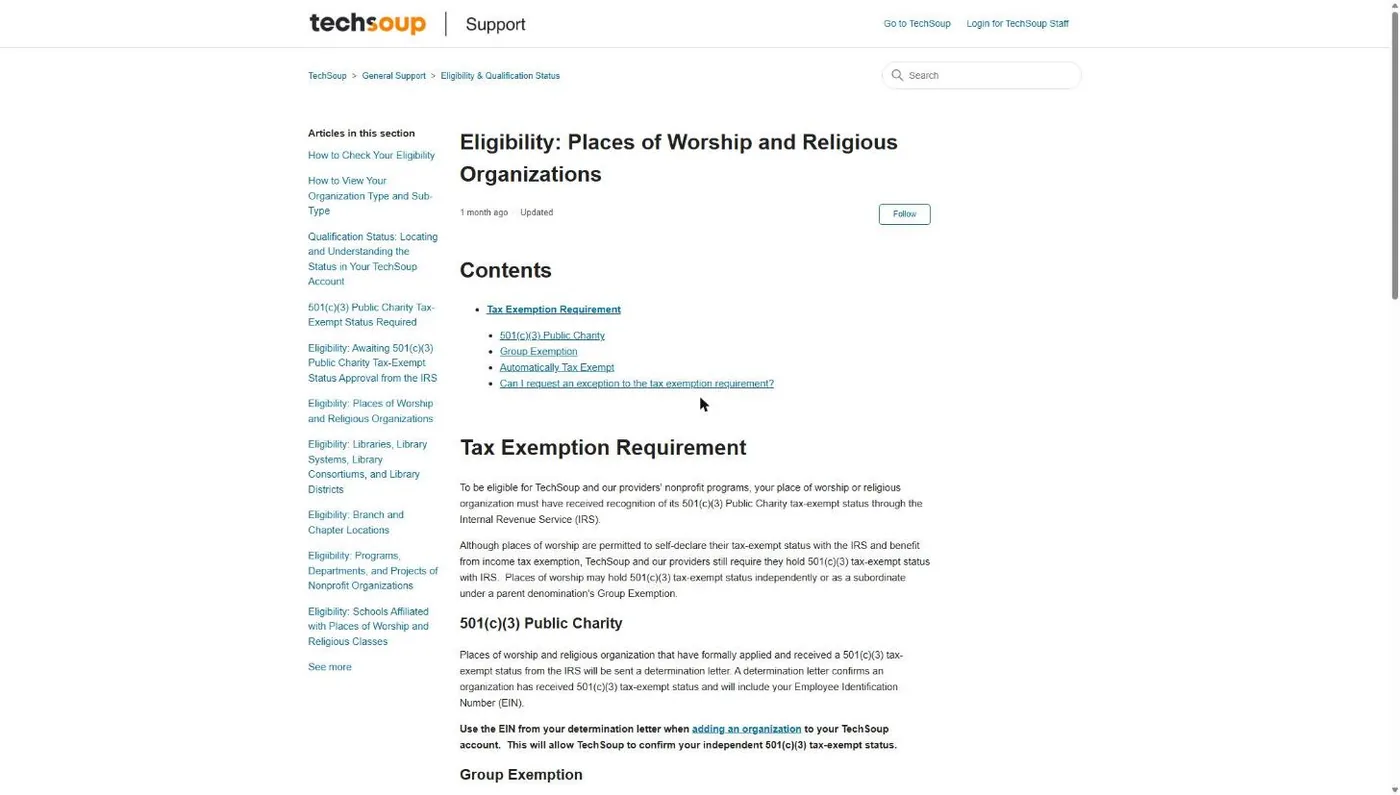
Common snag: a state sales-tax exemption certificate or an EIN assignment letter is not a 501(c)(3) determination. If that’s all you have, go to the foundation guide first.
Step 2: Create your member account
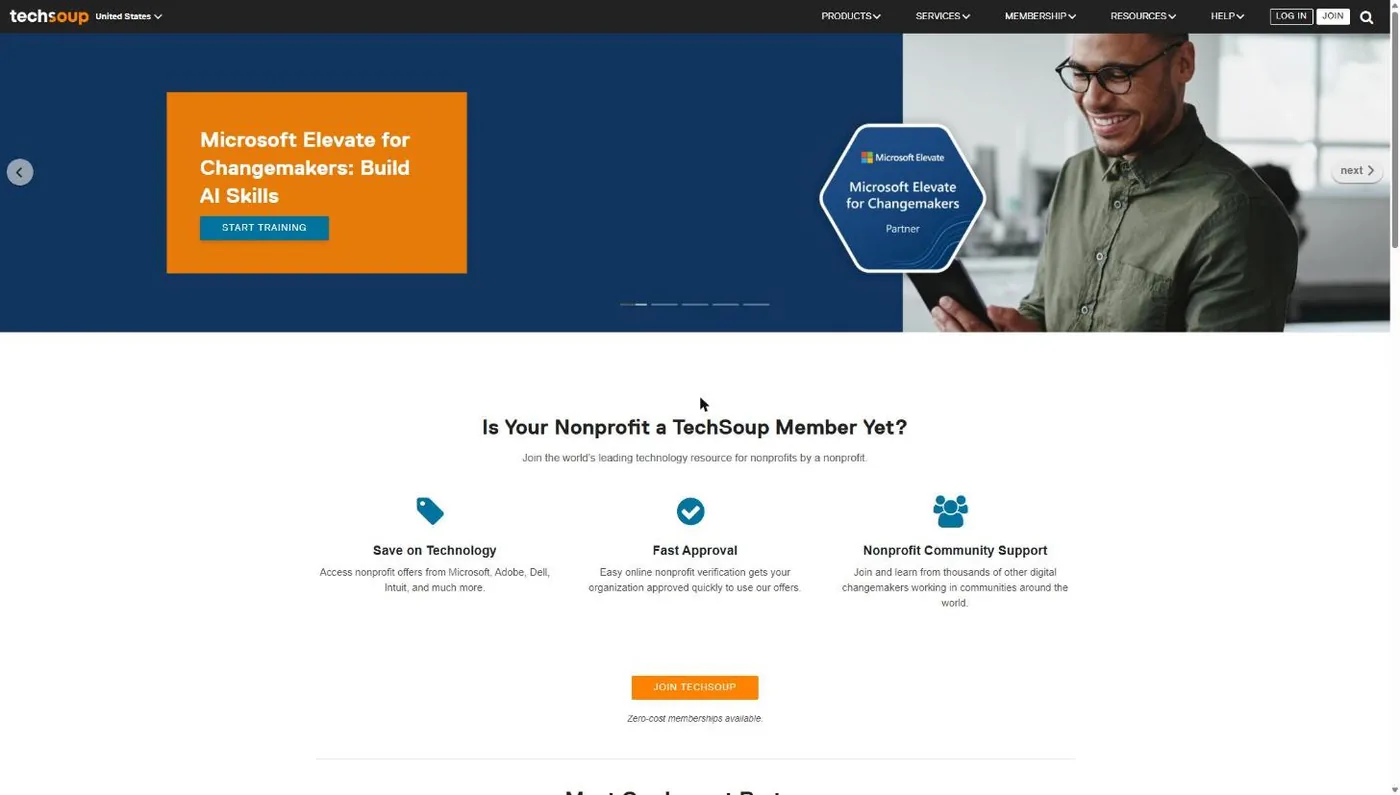
Go to techsoup.org and click Join. The first screen asks for a person’s first and last name, an email address, and a password. TechSoup recommends a work email, so use your church address, not a personal Gmail.
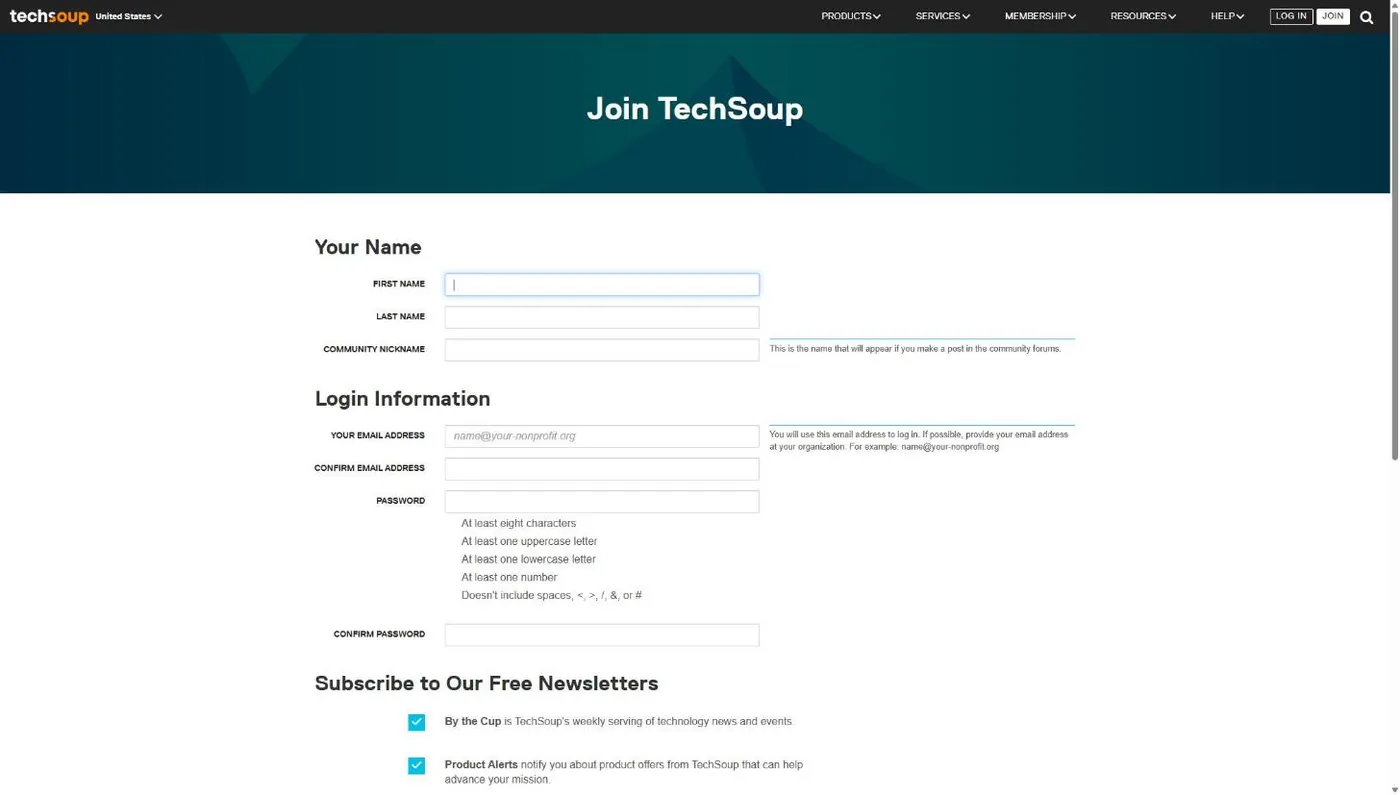
Common snag: the member account belongs to a person. TechSoup “cannot accept generic member names” like “Executive Director,” so enter a real staff member’s name. If that person later leaves, you’ll need access to the login, so use a church address the next admin can reach.
Step 3: Confirm your email
TechSoup sends a confirmation email to the address you entered. Click the link before anything else. (Our screenshots stop at the account form, since the next click creates a real account. Steps 3 through 6 follow TechSoup’s How to Join article.)
Step 4: Add your church as an organization
Once you’re signed in, add your organization. TechSoup asks for your EIN and your annual budget. Enter your church’s exact legal name as it appears on your IRS letter or in your denomination’s directory.
Common snag: group-exempt churches enter the parent denomination’s EIN here, per TechSoup’s church article. The denomination’s record will come up, not your church’s. Select I Don’t See My Organization to start your own registration; TechSoup’s How to Join article says this is normal for subordinates.
Step 5: Check your qualification status and send documents if asked
After you add the organization, TechSoup reviews it. If it can’t confirm your status from public IRS data, it will ask for documents. Email your determination letter, affirmation letter, or group exemption letter to qualification@techsoup.org.
Step 6: Request your first product (and skip the paid membership)
Once you’re qualified, request products from the catalog. For most churches, the first and maybe only request is QuickBooks Online. TechSoup also sells an optional TechSoup Plus Membership for $200 a year. You don’t need it to request products.
How much does TechSoup cost?
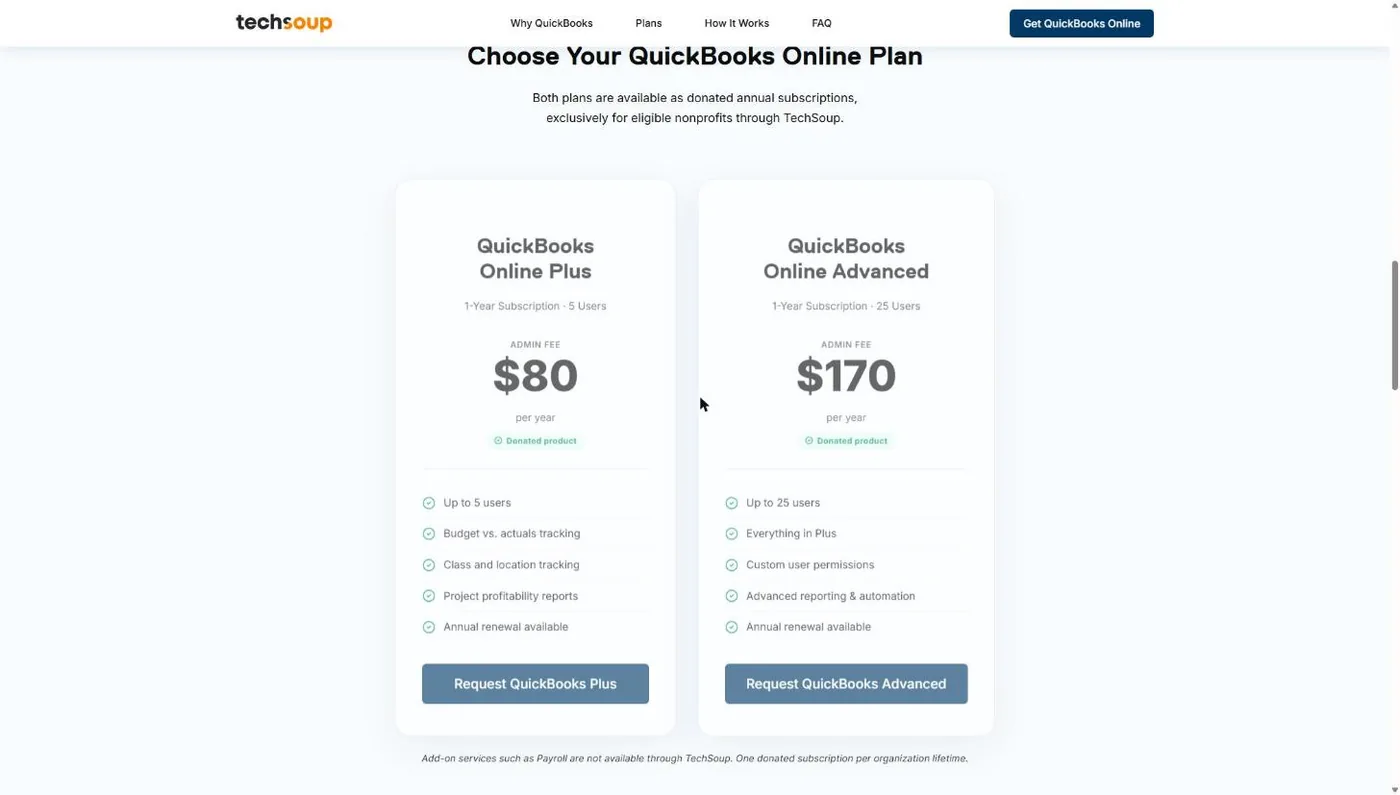
TechSoup costs nothing to join, but every product carries an admin fee, so TechSoup is discounted, not free. TechSoup’s support center says admin fees “contribute to the overall cost of TechSoup’s operations.” The QuickBooks Online fees below show the real math, compared against Intuit’s public list prices on November 5, 2026 (before Intuit’s 3-month promo).
| QuickBooks Online plan | Users | TechSoup admin fee | Intuit list price | List price per year |
|---|---|---|---|---|
| Plus | 5 | $80 per year | $140 per month | $1,680 |
| Advanced | 25 | $170 per year | $340 per month | $4,080 |
Sources: TechSoup QuickBooks Online for Nonprofits page and Intuit's nonprofit page, both verified November 5, 2026. The admin fee renews every year.
That’s the honest case for TechSoup. A church paying $80 instead of Intuit’s regular $1,680 for QuickBooks Online Plus keeps $1,600 a year for ministry.
The admin fee model has two catches. First, fees renew: TechSoup’s QuickBooks page says organizations “are required to pay TechSoup an annual renewal fee.” Second, TechSoup adjusts fees from time to time. On March 21, 2024, it raised admin fees on select offers (TechSoup blog). Budget the fee as a recurring line, not a one-time win.
What left TechSoup in 2024, 2025 and 2026?
Five big offers churches used to get on TechSoup left between November 2024 and February 2026: Adobe Acrobat Pro, Zoom, Microsoft’s donated Business Premium licenses, Adobe Express and QuickBooks Desktop. Each one now lives somewhere else, and in most cases the vendor sells it to churches directly. If a blog post from 2023 told you to get Zoom or Acrobat through TechSoup, that advice is dead.
| Offer | Left TechSoup | Where a church gets it now (Nov 2026) |
|---|---|---|
| Adobe Acrobat Pro | November 21, 2024 | Direct from Adobe, US$15 a year, reapply annually |
| Zoom | May 2025 | Zoom Cares, 50% off, verified by Goodstack, budgets of $10 million or less |
| Donated Microsoft 365 Business Premium and Office 365 E1 | July 1, 2025 (ended at Microsoft) | Business Premium now $5.50 per user per month for nonprofits |
| Adobe Express | September 2025 | Direct from Adobe, Premium plan free to qualified 501(c)(3)s |
| QuickBooks Desktop (Premier 2021, the last one) | February 2026 | QuickBooks Online Plus or Advanced, still through TechSoup |
Sources: TechSoup "No Longer Available" support articles for Acrobat Pro DC, Zoom and Adobe Express; TechSoup blog, May 2025; TechSoup Discontinued QuickBooks Desktop article; Adobe, Zoom and Microsoft nonprofit pages, verified November 5, 2026.
Microsoft didn’t leave TechSoup. It ended the donated Business Premium license everywhere. And for Zoom, TechSoup says your TechSoup status won’t affect your Zoom validation, so you verify again with Goodstack. Our guides to Microsoft 365 for nonprofits, Adobe for nonprofits and Zoom for nonprofits cover each new route.
What is still worth buying on TechSoup for a church?
QuickBooks Online is still worth buying on TechSoup for almost every church that keeps its own books. After that, the list gets short: Microsoft licenses, Adobe Creative Cloud and refurbished computers, each with a better-or-equal route for some churches. Here’s how I’d rank them for a church office in November 2026.
1. QuickBooks Online Plus or Advanced
This is the reason to join. Intuit’s own FAQ says “We recommend that churches and other houses of worship use QuickBooks Online Plus or QuickBooks Advanced,” through TechSoup (Intuit, November 2026). Plus covers 5 users for an $80 yearly admin fee, and Advanced covers 25 users for $170.
Read the fine print before you request it. TechSoup allows “One donated subscription per organization lifetime.” You can’t apply the offer to an existing QuickBooks account, so a church already paying Intuit has to migrate its data into the new donated subscription. Payroll is not available through TechSoup. And separate ministries like a preschool typically can’t get their own subscription. TechSoup says programs and departments usually don’t qualify.
For the full setup (fund tracking, chart of accounts, Plus vs Advanced), read our QuickBooks for nonprofits guide. If you’re still choosing between QuickBooks and church-specific accounting, start with church accounting software.
2. Microsoft licenses (compare before you buy)
TechSoup’s May 2025 Microsoft notice said donated Microsoft 365 Business Basic remains available, discounted Microsoft 365 plans still save “up to 75 percent,” and desktop Office 2024 for Windows and Mac is still offered. Microsoft also runs its own nonprofit portal, where Business Basic is a free grant for up to 300 users (Microsoft, November 2026). If your staff live in the cloud, go direct. If you want perpetual desktop Office for the front-office computer, check TechSoup’s current Office listing and fee.
3. Adobe Creative Cloud
Adobe’s nonprofit page says Creative Cloud access is administered through TechSoup, so TechSoup remains the only nonprofit route for Photoshop, Premiere and the rest. TechSoup’s help center describes the offer as “a minimum 49 percent discount” on a one-user Creative Cloud Pro plan with a one-year contract. Check the listing for the current admin fee before you budget it. For most church comms work, the free Adobe Express Premium plan (direct from Adobe) or Canva for Nonprofits does the job.
4. Refurbished hardware
TechSoup’s refurbished hardware program sells laptops, desktops, monitors and mobile devices from “vetted refurbishers who meet strict quality standards,” backed by warranty and support (TechSoup, November 2026). The public page lists no prices, so you’ll compare after you qualify. For a church replacing four aging office PCs, it’s worth a look before you buy retail.
TechSoup vs Goodstack: what’s the difference?
TechSoup is a marketplace where you request products and pay admin fees. Goodstack is a verification service that confirms your nonprofit status so you can buy from the vendor at its nonprofit price. Google for Nonprofits, Zoom, OpenAI and Anthropic all verify through Goodstack, not TechSoup (vendor pages, November 2026). Both reject churches that have no IRS recognition, but they handle group-exempt churches differently.
| TechSoup | Goodstack | |
|---|---|---|
| What it does | Verifies you and distributes donated products | Verifies you; you buy from the vendor |
| Programs that use it | QuickBooks Online, Adobe Creative Cloud, Microsoft, Slack (validation only) | Google for Nonprofits, Zoom, ChatGPT, Claude, Atlassian, Hootsuite |
| Church without its own IRS letter | Not eligible unless covered by a group exemption | Can't verify an org that doesn't require registration |
| Group-exempt church EIN | Parent denomination's EIN | Church's own EIN (Google's rule) |
| What you pay | An admin fee to TechSoup per product | The vendor's nonprofit price |
| Approval time | Typically within two business days | Varies by program |
Sources: TechSoup support center; Goodstack help center; Google for Nonprofits group exemption article; vendor pages. Verified November 5, 2026.
Most churches will end up with both: a TechSoup account for QuickBooks and a Goodstack verification for Google and the AI tools. Our guide to what Goodstack is and how churches get verified covers the second half.
Why would TechSoup reject my church?
TechSoup rejects churches for five predictable reasons, and most of them are paperwork, not policy. The biggest is simple: the church has no IRS recognition of its 501(c)(3) status. Here is each reason and the fix.
- Your church self-declared exempt status. TechSoup won’t accept automatic exemption. Fix: get covered by your denomination’s group exemption, or file Form 1023 for your own letter. The foundation guide explains both, and our 501(c)(3) church guide covers whether filing makes sense.
- You entered your church’s EIN under a group exemption. TechSoup wants the parent denomination’s EIN. Fix: update the organization record and resend the group exemption letter.
- You sent the denomination’s generic IRS ruling instead of a letter naming your church. Fix: ask your denominational office for a signed letter on its letterhead confirming your church is a subordinate, plus the directory or introduction packet.
- Your name doesn’t match. If the legal name on your account differs from your letter or the directory listing, expect a document request. Fix: use the exact legal name and email supporting documents to qualification@techsoup.org.
- TechSoup approved you, but a donor didn’t. Each donor sets its own rules. Slack uses TechSoup for validation, yet Slack’s terms exclude “A church, association of churches, or other religious organization” (Slack, November 2026). Fix: no paperwork fixes this one. Read our Slack guide for the real cost and alternatives.
Frequently asked questions about TechSoup
Free Church Marketing Review for Your Church
Saving money on software is step one. Step two is making sure people can find your church. We'll look at your website, your local search presence, and how your church shows up when people nearby go looking. You get a straight assessment and clear next steps, whether or not you ever become a client.