Adobe for nonprofits sounds like one discount. It’s three separate programs with three separate front doors, and most churches only find one of them.
The question I hear from pastors and church admins is simple: “Will Adobe take a church?” Yes. Adobe’s eligibility page asks for a “qualified 501(c)(3) public charity as recognized by the Internal Revenue Service,” and the only place religion shows up is a nondiscrimination clause that adds “other than as allowed by law” (Adobe, verified November 5, 2026). Churches aren’t on the ineligible list.
The part that trips churches up is the paperwork and the routing. Adobe Express Premium is free and you apply on Adobe’s site. Acrobat Pro is $15 a year, also on Adobe’s site, and you reapply every year. Creative Cloud goes through TechSoup, which has its own rules for churches. I’ll walk you through all of it.
Before you start: if your church has never received an IRS determination letter (most haven’t, because churches are tax-exempt automatically), read how to prove your church’s nonprofit status first. Adobe says an organization “must be able to prove its public charity tax-exempt status with current tax documents,” and TechSoup turns away churches that are only automatically exempt. Ten minutes there saves you a rejection here.
What are the three Adobe nonprofit programs?
Adobe for Nonprofits covers three products, and each one has its own price, its own application and its own renewal rule. Adobe’s nonprofit page says “you must complete the validation for each product offer,” so getting approved for Express does not get you Acrobat (Adobe, verified November 5, 2026). Creative Cloud doesn’t run through Adobe’s form at all: Adobe’s page says “Access to Creative Cloud is administered through our program partner TechSoup.”
| Program | Nonprofit price (Nov 2026) | Where you apply | Renewal | Church fit |
|---|---|---|---|---|
| Adobe Express Premium | Free, up to 50 licenses | Adobe, direct (adobe.com/nonprofits/express) | One-year subscription, per Adobe's FAQ | Every church. Social graphics, short video, flyers, slides |
| Acrobat Pro | US$15.00 per year, up to 10 licenses | Adobe, direct (adobe.com/nonprofits/acrobat) | "Reapply annually to keep your discount" | The office admin, treasurer, anyone handling forms and signatures |
| Creative Cloud | Discounted individual one-year membership, plus a TechSoup admin fee; no license cap | TechSoup | One-year membership | Your video editor or designer who works in pro apps every week |
Three rules apply across all three. Adobe says “Nonprofit staff are eligible,” and “beneficiaries, members, and donors are not eligible.” So your church office can use these licenses. Your congregation can’t.
Every license is individual: Adobe’s FAQ says “Individuals need to validate their nonprofit status to request each product.” And there are caps per organization: “Up to 50 Adobe Express Premium plan licenses” and “Up to 10 Acrobat Pro licenses,” with no cap on Creative Cloud (Adobe nonprofit FAQ, verified November 5, 2026).
Is Adobe Express free for nonprofits?
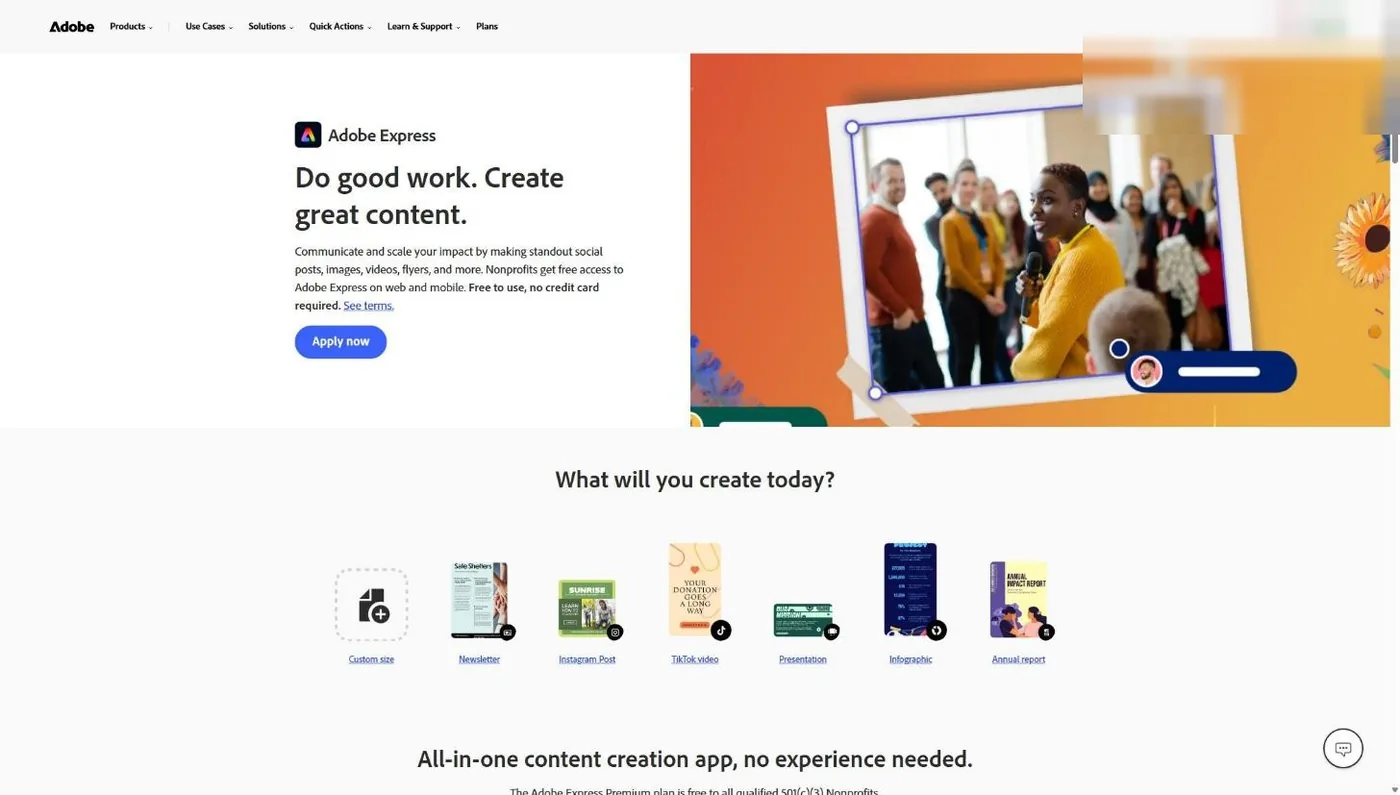
Yes. Adobe’s Express nonprofit page says “The Adobe Express Premium plan is free to all qualified 501(c)(3) Nonprofits,” with “no credit card required,” for up to 50 people in your organization (Adobe, verified November 5, 2026). The Premium plan Adobe lists for nonprofits includes drag-and-drop video, social media scheduling across channels, Adobe Firefly features like Generate Image, the Adobe Stock photo collection and licensed Adobe Fonts.
For a church, that covers the Sunday Instagram story, the sermon series graphic, the Easter invite card and the 30-second announcement video. Adobe’s FAQ calls it “a one-year subscription,” so plan to confirm your status again when the year is up.
Step 1: Sign in with a church email address
The application attaches to whatever Adobe account is signed in when you click Continue, and each license belongs to one person. Adobe asks for your organization’s name and “a valid organization email address.” So each staff member who needs Express applies from an Adobe account on their church address (name@yourchurch.org), not a personal Gmail.
Common snag: someone on staff already has a personal Adobe account and applies from it by habit. Sign out first, then sign in with the church email.
Step 2: Open Adobe’s nonprofit page
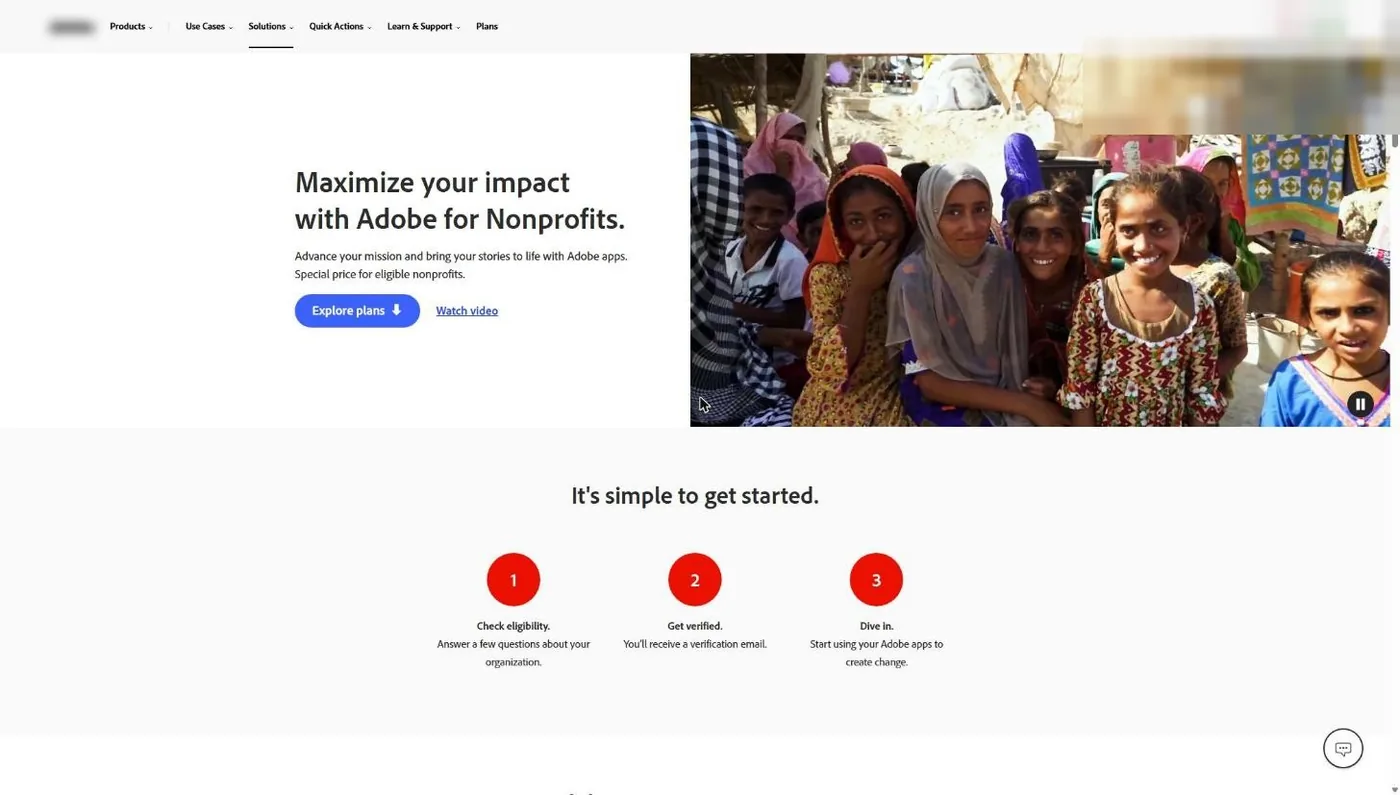
Go to adobe.com/nonprofits. The page lays out Adobe’s process in three steps: check eligibility, get verified, dive in. Click into Adobe Express from there, or go straight to adobe.com/nonprofits/express.
Step 3: Click Apply now on the Express page
The Express nonprofit page states the offer plainly and puts an Apply now button next to it. Read the page once so you know what you’re getting, then click Apply now.
Step 4: Confirm you’re not a school or government agency
The first apply screen asks one thing: confirm your organization is not a school or a government agency. A church is neither, so you confirm and click Continue. If your church runs a preschool or academy as its own legal entity, apply as the church, not the school. Adobe lists schools as ineligible.
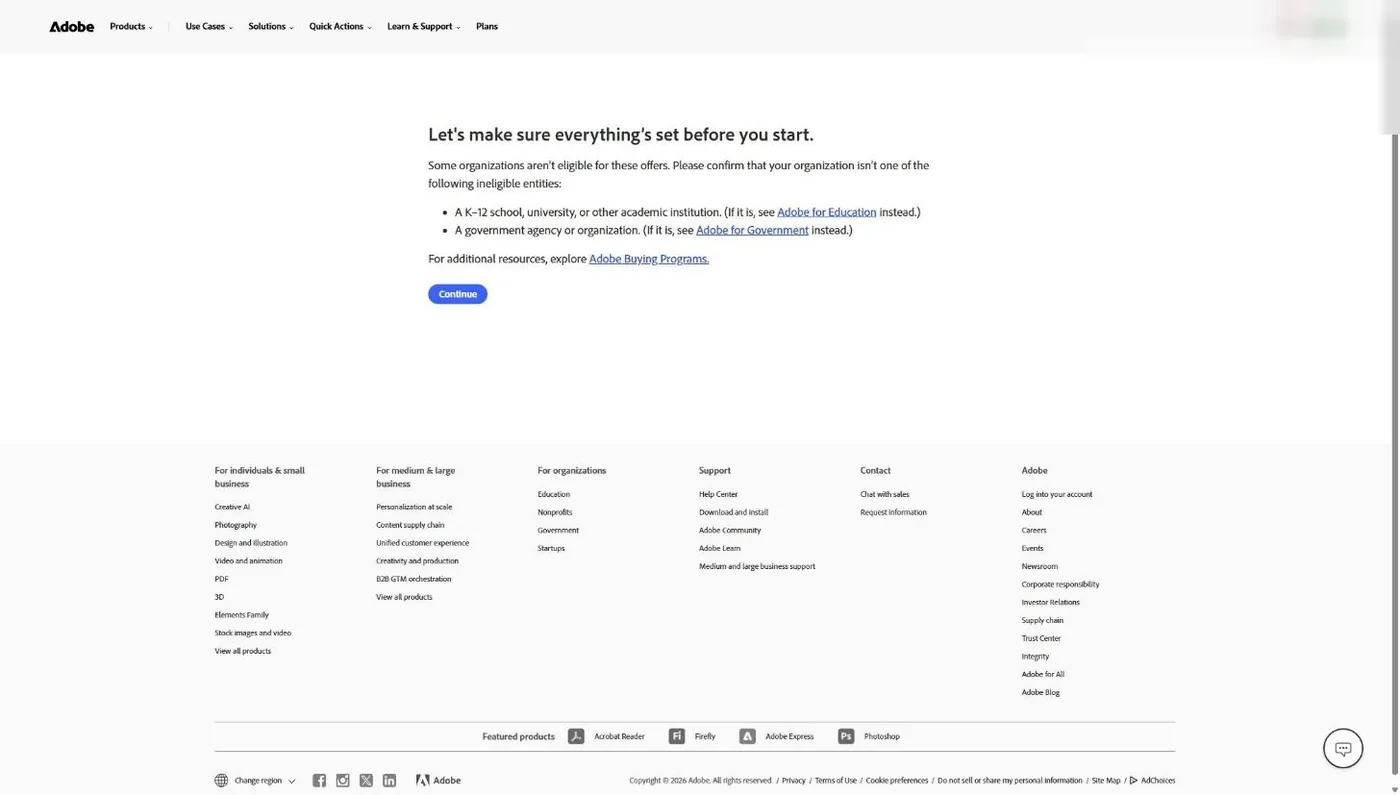
We stopped our walkthrough here. Clicking Continue starts a real application tied to the signed-in Adobe account, and we don’t submit applications to make screenshots.
Step 5: Get verified by email
Past Continue, Adobe’s own description of the process is short: “Get verified. You’ll receive a verification email.” Adobe says “Validation takes one to three business days.” Watch the inbox of the account you applied from, and check spam. Have your proof of status ready as a PDF: your IRS determination letter, or your denomination’s group exemption letter if that’s how your church is covered.
Adobe’s pages don’t say whether a group exemption letter counts on its own. At New Hope Hawaii Kai, where I serve as Executive Pastor, we’re a Foursquare church under our denomination’s group exemption, which is the same situation most church staff are in. If that’s you, the proof-of-status guide shows which documents to pull before you apply.
How much is Adobe Acrobat Pro for nonprofits?
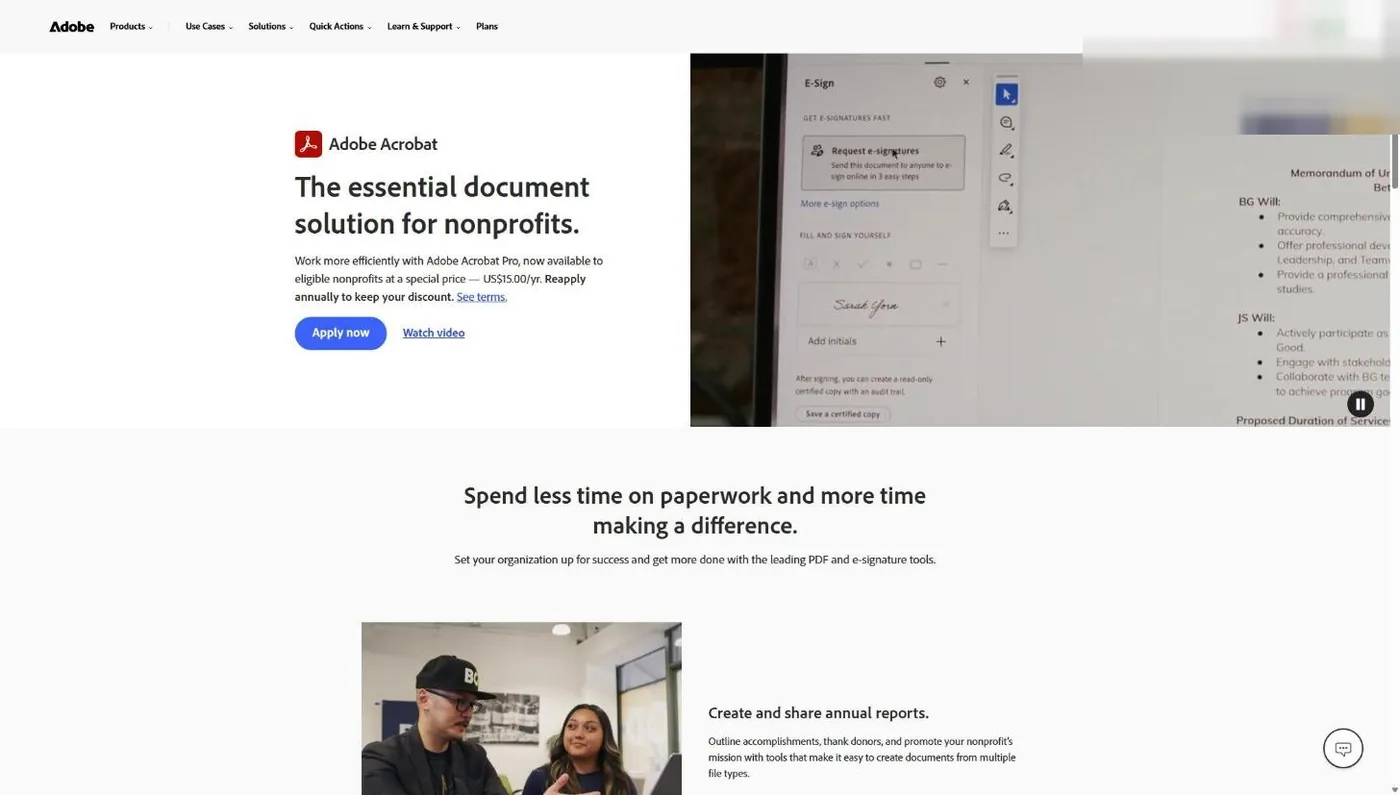
Adobe Acrobat Pro costs US$15.00 per year for qualified nonprofits, and Adobe’s page adds “Reapply annually to keep your discount” (Adobe Acrobat nonprofit page, verified November 5, 2026). Adobe’s nonprofit page pitches it for contracts and waivers, with “integrated e-signature tools and reusable web forms.” A church can get up to 10 Acrobat Pro licenses this way. For a church, that’s the volunteer application, the child-check-in consent form, the facility use agreement and the board minutes that need a signature.
Step 1: Go to the Acrobat nonprofit page
Open adobe.com/nonprofits/acrobat and click Apply now. This is a separate application from Express. Adobe validates each product on its own, so an approved Express plan doesn’t carry over.
Step 2: Clear the same eligibility gate
You’ll see the same not-a-school, not-government confirmation from the Express flow. Confirm it from the staff member’s church-email Adobe account, click Continue, and watch for the verification email (one to three business days, per Adobe).
Step 3: Put the renewal on the calendar
The $15 price is a one-year deal. Adobe says to “reapply annually.” Put a reminder on your church calendar 30 days before the anniversary and assign it to a staff member, not “whoever remembers.” This is how church discounts quietly lapse: the person who applied leaves, and the renewal notice lands in an inbox nobody reads.
How much is Adobe Creative Cloud for nonprofits?
Adobe doesn’t sell nonprofit Creative Cloud on its own site. Adobe’s nonprofit page says Creative Cloud access “is administered through our program partner TechSoup,” and offers “individual one-year memberships at a discount” (Adobe, verified November 5, 2026). TechSoup’s help center describes the current offer as “a minimum 49 percent discount” on a Creative Cloud Pro plan for one user, with a one-year contract. The admin fee is set on TechSoup’s listing, so check it before you budget.
Creative Cloud is where the church verdict becomes conditional. TechSoup’s church eligibility article, updated about a month before we checked it, says “your place of worship or religious organization must have received recognition of its 501(c)(3) Public Charity tax-exempt status through the Internal Revenue Service” and “Places of worship that are automatically tax-exempt, or self declare, are not eligible” (TechSoup support, verified November 5, 2026). The full walkthrough lives in my TechSoup for churches guide. The short version:
Step 1: Join TechSoup as a member
Create a member login at techsoup.org with a real person’s first and last name and a church email address. TechSoup recommends a work email.
Step 2: Add your church as an organization
TechSoup asks for your EIN and budget. If your church is covered by a denominational group exemption, TechSoup says to “use your parent denomination’s Employee Identification Number (EIN).” That’s the opposite of Google for Nonprofits, which wants the church’s own EIN.
Step 3: Send your proof if TechSoup asks
TechSoup accepts an IRS determination letter or a group exemption letter. For a group exemption, TechSoup says the letter must be “composed on your national parent denomination’s letterhead and signed by a representative,” and a directory or introduction packet is typically included. TechSoup says “Qualification reviews are typically completed within two business days.”
Step 4: Request Creative Cloud from TechSoup’s Adobe listing
Once you’re qualified, request the Creative Cloud offer from TechSoup’s catalog and pay the admin fee shown on the listing. TechSoup also sells a Plus Membership at $200 a year. It’s optional.
If Adobe rejects your church
Adobe’s ineligible list doesn’t include churches, so a church that gets turned down should check its paperwork first. Adobe’s ineligible list names organizations without recognized charitable status, private foundations, hospitals, government bodies, schools, political, labor and fraternal groups, trade associations and individuals (Adobe Help Center, last updated December 3, 2025). The table below shows how these problems usually show up at a church, and the fix for each.
| Reason | How it happens at a church | The fix |
|---|---|---|
| No IRS recognition | The church is exempt automatically and never filed Form 1023, so there's no letter to show | Get your denomination's group exemption letter, or file Form 1023. See the proof-of-status guide |
| Name mismatch | You typed "Grace Church" but your IRS paperwork says "Grace Community Church of Austin, Inc." | Use the exact legal name from your tax documents, punctuation and all |
| Applied as a school | The church's separately incorporated preschool or academy applied | Apply as the church. Adobe excludes schools |
| Wrong person applied | A church member or donor volunteered to "grab the Adobe deal" | A staff member applies from an Adobe account on their church email. Adobe says members and donors aren't eligible |
| Assumed one approval covers all | Express got approved, so the admin expected Acrobat at $15 automatically | Apply separately for each product. Adobe validates each one |
| Acrobat price lapsed | Nobody reapplied after year one | Reapply. Then calendar the next renewal 30 days out |
| TechSoup turned you down (Creative Cloud) | The church self-declared its exemption, or sent a group letter without denominational letterhead | Resend a signed letter on denomination letterhead and use the parent's EIN, per TechSoup's church article |
One worry I hear from pastors: does Adobe’s nondiscrimination clause catch churches that hire staff who share their faith? The clause lists religion, but it carves out discrimination “other than as allowed by law.” Adobe doesn’t list churches as ineligible, and nothing on its pages singles out faith-based hiring.
What does a church actually need from Adobe?
Most churches need Adobe Express and nothing else from this list. Express Premium is free, it handles the weekly graphics and short videos a church posts, and Acrobat Pro at $15 a year covers forms and signatures for the office. Creative Cloud earns its keep only for a person who edits sermon video or lays out print pieces in pro apps every week.
| Who on your team | What they make each week | What to get them |
|---|---|---|
| Communications volunteer or social media lead | Instagram posts, stories, event flyers, short reels | Adobe Express Premium (free) or Canva, whichever they already know |
| Office manager or admin | Registration forms, volunteer applications, signed agreements | Acrobat Pro ($15 a year) |
| Treasurer or finance staff | Budget PDFs, board packets, signed reimbursements | Acrobat Pro ($15 a year) |
| Video editor or production lead | Full sermon edits, series bumpers, multi-camera services | Creative Cloud through TechSoup |
| Designer (staff or contract) | Logos, print layouts, signage, brand systems | Creative Cloud through TechSoup |
Adobe Express or Canva?
If your team already lives in Canva, don’t move them. Canva runs its own free nonprofit program for registered 501(c)(3)s, and Canva’s eligibility page doesn’t mention religion at all (Canva, verified November 2026). My Canva for nonprofits guide covers how a church applies, and Canva for churches covers how to use it well.
I’d still grab Adobe Express. It’s free, the application gate is one checkbox, and it gives your team Adobe Stock photos, Adobe Fonts and Firefly image generation inside one tool. A lot of churches will end up with both, and that’s fine. Pick one as the place your templates live so your volunteers aren’t hunting across two apps on Saturday night.
For video specifically, compare your options in best church video tools for editing before you pay for Creative Cloud seats. And if you want the full list of tools that cost nothing, start with the best free church software.
The bottom line
For most churches, Adobe for Nonprofits comes down to one move: claim free Adobe Express Premium this week, add Acrobat Pro at $15 a year for whoever handles forms, and buy Creative Cloud through TechSoup only for the person who edits video or designs print every week.
Renewals and fine print worth knowing
Adobe’s nonprofit offers are annual, staff-only and validated per product. Acrobat Pro says “Reapply annually,” Express is “a one-year subscription” in Adobe’s FAQ, and TechSoup’s Creative Cloud offer is a one-year individual membership (Adobe, verified November 5, 2026). Assign one staff member to own all three renewal dates.
Adobe’s own pages describe verification only as a “verification email.” TechSoup’s help center says Adobe validates through Goodstack, so watch for mail from either name.
The routing has also shifted. Acrobat Pro left TechSoup on November 21, 2024, and Express followed in September 2025, per TechSoup’s “No Longer Available” articles. Today Express and Acrobat come straight from Adobe, and Creative Cloud is the piece that still runs through TechSoup. If you read an older guide that sends you to TechSoup for all three, it’s out of date.
For the full picture of what other vendors offer churches, see the nonprofit software discounts guide, which ranks every major program by whether it accepts churches.
Frequently Asked Questions
Free Church Marketing Review for Your Church
Free design tools help. They don't tell you whether your website, your Google listing and your social accounts are bringing new people through the door. We'll look at all of it and give you a straight assessment with clear next steps, whether or not you ever become a client.
Related Guides
- Nonprofit Software Discounts for Churches - Every major program, ranked by whether it accepts churches.
- How to Prove Your Church’s Nonprofit Status - The documents Adobe, TechSoup and the rest will ask for.
- TechSoup for Churches - Where Creative Cloud and QuickBooks come from.
- Canva for Nonprofits - The other free design program churches qualify for.
- Microsoft 365 for Nonprofits - What’s free and what’s discounted for church staff now.
- Google for Nonprofits - Free Workspace and the $10,000-a-month Ad Grant.