Canva for Nonprofits gives registered nonprofits every Canva Pro feature for free, for one team of up to 50 people. The question pastors and church admins actually ask is simpler: will Canva take a church?
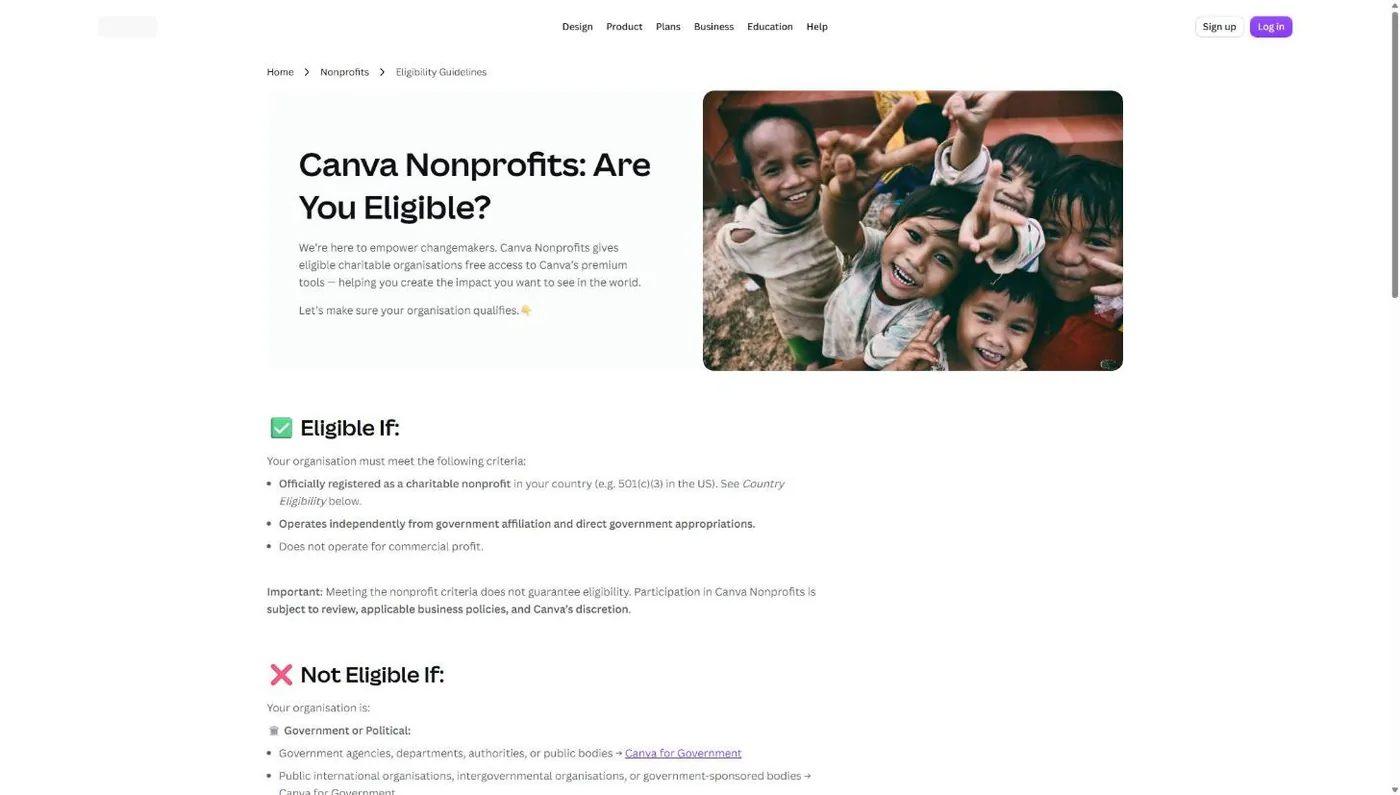
Yes. Canva’s eligibility page asks for an organization “officially registered as a charitable nonprofit in your country (e.g. 501(c)(3) in the US),” and nothing on that page excludes churches, religious groups or places of worship (Canva eligibility guidelines, checked November 5, 2026). A church that meets the 501(c)(3) rules is a 501(c)(3), whether or not it ever filed for a letter.
The hard part is proof. Canva hands verification to Goodstack, and Goodstack wants documents. Churches that get stuck usually get stuck there, not on eligibility.
No IRS determination letter in your files? Most churches don’t have one, because the IRS never required them to apply. Read how to prove your church is a nonprofit before you start. It covers the three paths (your own letter, a denominational group exemption, or filing Form 1023) and which documents each validator accepts.
Can churches get Canva for Nonprofits?
Churches can get Canva for Nonprofits. Canva’s eligibility guidelines set three conditions: the organization is “officially registered as a charitable nonprofit” (501(c)(3) in the US), it “operates independently from government affiliation,” and it “does not operate for commercial profit” (Canva, November 2026). A church that meets the IRS 501(c)(3) requirements passes all three.
The IRS treats churches that meet the 501(c)(3) requirements as tax exempt automatically. Google’s nonprofit help center says the same thing in plain words: churches “are automatically considered tax exempt and are not required to apply” (Google for Nonprofits help, November 2026). So your church has 501(c)(3) status in the eyes of the law, even with no letter on file.
Canva’s “Not Eligible If” list is long, and churches are not on it. It names government bodies, political groups, schools and universities, 501(c) groups other than (c)(3), membership benefit groups, private and grantmaking foundations, trade associations, clubs and a few others. A search of the page for “church,” “religious,” “faith” and “worship” turns up none of them.
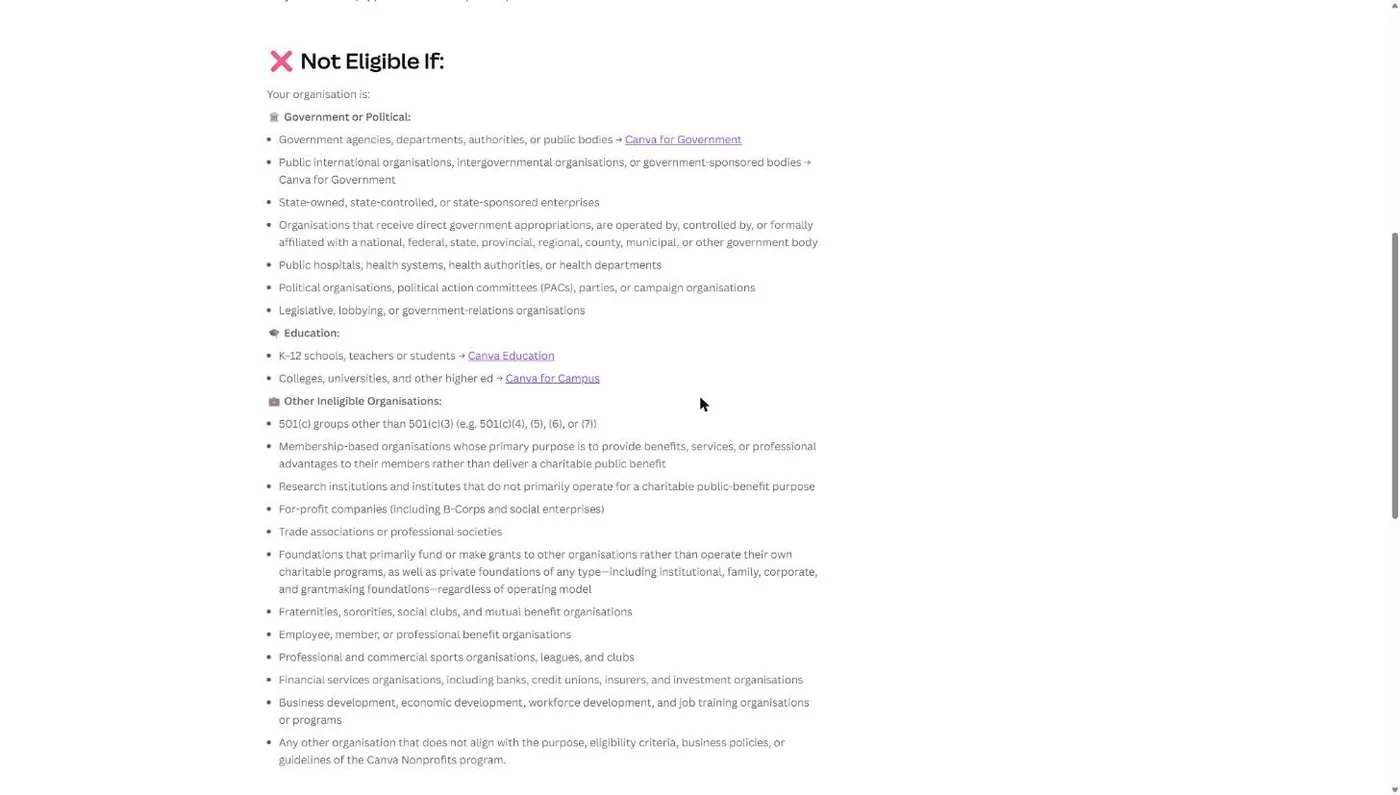
Two lines on that list do touch church life. A church-run K-12 school belongs in Canva Education, which Canva points schools to instead. A church foundation that mainly makes grants is out, since Canva excludes “private foundations of any type.” Apply as the church itself.
One caveat: “Meeting the nonprofit criteria does not guarantee eligibility.” Canva keeps acceptance and “ongoing participation” at its “sole discretion.” Nearly every program says this. Treat it as a reason to send clean documents.
What does Canva for Nonprofits include for a church?
Canva for Nonprofits includes every premium feature of Canva Pro plus team and collaboration tools, free, for one team of up to 50 members (Canva Help Center, November 2026). If your church needs more than 50 seats, Canva offers the extra seats at 50% off Canva Enterprise through its sales team.
That covers premium photos, videos and music, transparent-background downloads, an upgraded Brand Kit with your own fonts and logos, brand templates, shared folders, and access to Affinity, Canva’s professional photo and layout app. Here is what similar access costs at list price.
| Plan | List price (yearly) | People | Shared team space |
|---|---|---|---|
| Canva Free | $0 | 1 | No |
| Canva Pro | US$144 per year | 1 | No |
| Canva Business | US$250 per person per year | Priced per person | Yes |
| Canva for Nonprofits | $0 after approval | Up to 50 | Yes |
Source: canva.com/pricing and the Canva Help Center, checked November 5, 2026. Prices exclude tax.
Ten staff and key volunteers in one shared team on Canva Business would list at $2,500 a year. Canva for Nonprofits puts the same ten people in a shared team with Pro features for nothing. That money goes back to ministry.
What documents does Canva need to verify a church?
Canva needs two things from a church: “proof that your organisation is officially registered as a nonprofit” and “governing documents showing your structure and charitable purpose” (Canva eligibility guidelines, November 2026). Goodstack checks both against its US rule, which is IRS recognition under Section 501(c)(3).
Proof of registration
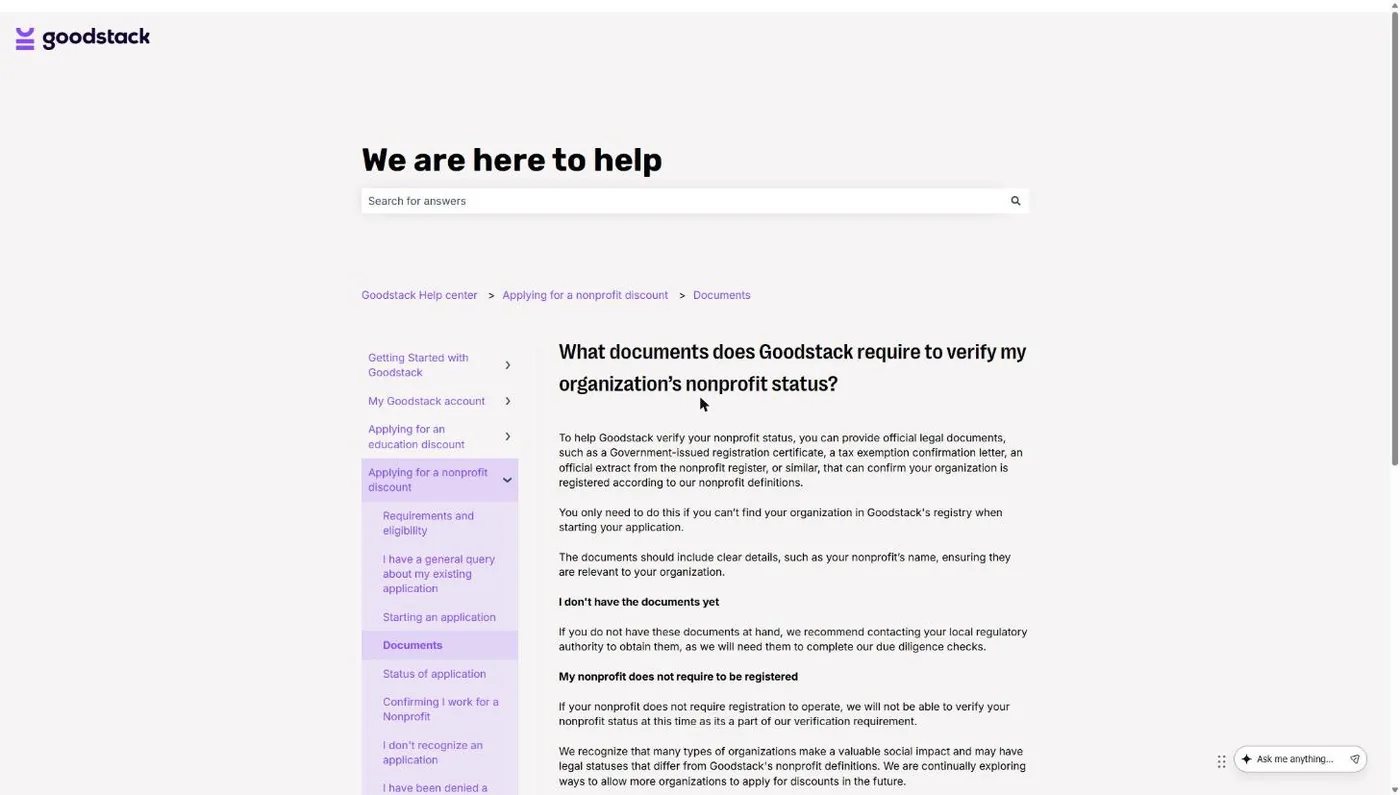
Proof of registration depends on which kind of church you are. Goodstack’s US definition requires recognition as “Tax exempt from federal income tax with the IRS under Section 501(c)(3),” and adds that group exempt organizations “must supply their own EIN” plus documentation showing their group exemption number (Goodstack nonprofit definitions, November 2026).
That second line matters for denominational churches. New Hope Hawaii Kai, where I serve as Executive Pastor, is a Foursquare church covered by the denomination’s group exemption. Churches like ours have no letter of our own, so the paperwork comes from the denomination.
| Your church | Proof of registration to gather | How hard |
|---|---|---|
| Has its own IRS determination letter | The IRS letter (your church should show in the IRS Tax Exempt Organization Search) | Easy |
| Covered by a denomination's group exemption | Your church's own EIN, the denomination's group exemption letter showing the group exemption number, and a letter on denominational letterhead that names your church | Medium: ask your district or denominational office |
| Independent, never applied | Nothing Goodstack's US rule clearly accepts. The clean fix is filing IRS Form 1023 for your own letter | Hard |
Goodstack also says that “if your nonprofit does not require registration to operate,” it cannot verify you (Goodstack help center, November 2026). An independent church that never applied falls right into that sentence. The foundation guide walks through your options, and our post on 501(c)(3) status for churches covers whether filing is worth it.
Governing documents, in church terms
Canva doesn’t define “governing documents,” so here is what the phrase means in a church office: the papers that say who runs the church and what it exists to do.
- Articles of incorporation, filed with your state if the church is incorporated. They name the legal entity and usually state its purpose.
- Bylaws or constitution, the rules your church adopted: officers, board or elders, how decisions get made, membership, and what happens to church assets if it closes. Many denominational churches adopt standard bylaws from the denomination. Send your church’s adopted copy, not the national manual.
Canva wants documents showing “structure and charitable purpose,” so the purpose statement and the governance section do the work. Send the whole document anyway.
Format matters more than most church admins expect. Goodstack’s document rules say organization-produced documents such as bylaws must be the original PDF, signed, show the legal name, and be “dated more than 30 days ago” from your application, with no redactions (Goodstack help center, November 2026). An unsigned Word file of your bylaws will slow you down.
How to apply for Canva for Nonprofits (step by step)
You apply for Canva for Nonprofits from a signed-in Canva account, then finish verification with Goodstack. Canva’s help center lists five steps: check eligibility, have a Canva account, review the program terms, submit the application form, and complete verification. Here is how that plays out for a church.
Step 1: Create a church-owned Canva account
Apply from a Canva account the church owns, signed up with a church address like office@ your church’s domain. Not your worship leader’s personal login. The account that applies owns the nonprofit team, and staff leave. You don’t want your Brand Kit and five years of sermon slides stuck in a former employee’s account.
A church-domain email helps verification too. Canva tells rejected applicants to reapply “using an email that matches your organization’s domain where possible,” and it sends the decision to that address.
Snag: “Your organization is already using Canva” means someone at your church already set up a team. Ask that team’s admin for access. If nobody knows who it is, Canva Support can look up the owner from your church’s name, domain and nonprofit registration.
Step 2: Gather your documents before you click
Put these in one folder as PDFs before you open the application:
- Proof of 501(c)(3) status: your IRS letter, or your EIN plus your denomination’s group exemption documents.
- Signed bylaws or constitution, dated more than 30 days ago.
- Articles of incorporation, if your church is incorporated.
- Your IRS EIN Verification Letter. Goodstack says it is “strongly recommended” for US organizations, though it is not a determination letter.
Write down your church’s exact legal name as it appears on these documents. Use that spelling on every form.
Step 3: Start the application
Go to canva.com/nonprofits and select Get started for free. You can also check the eligibility guidelines from the same page.
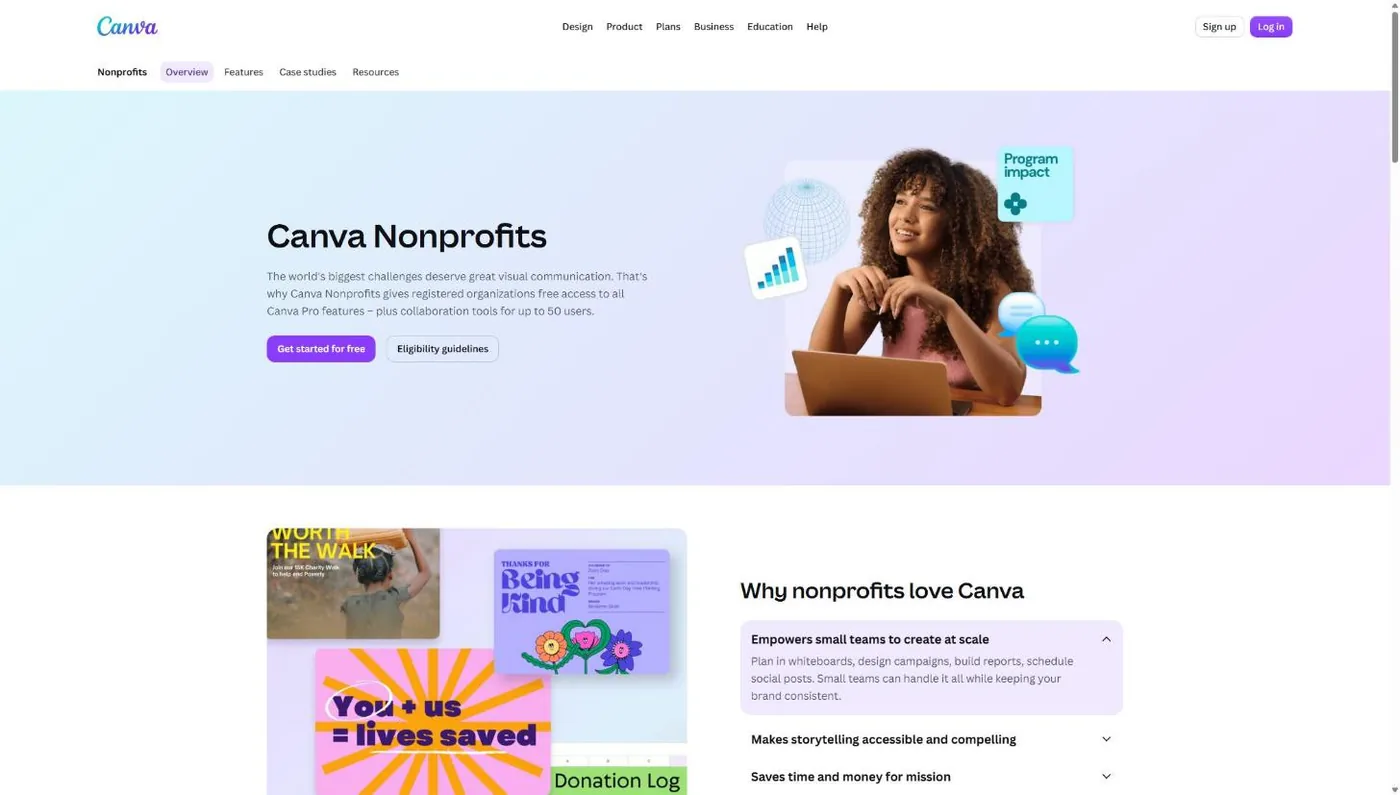
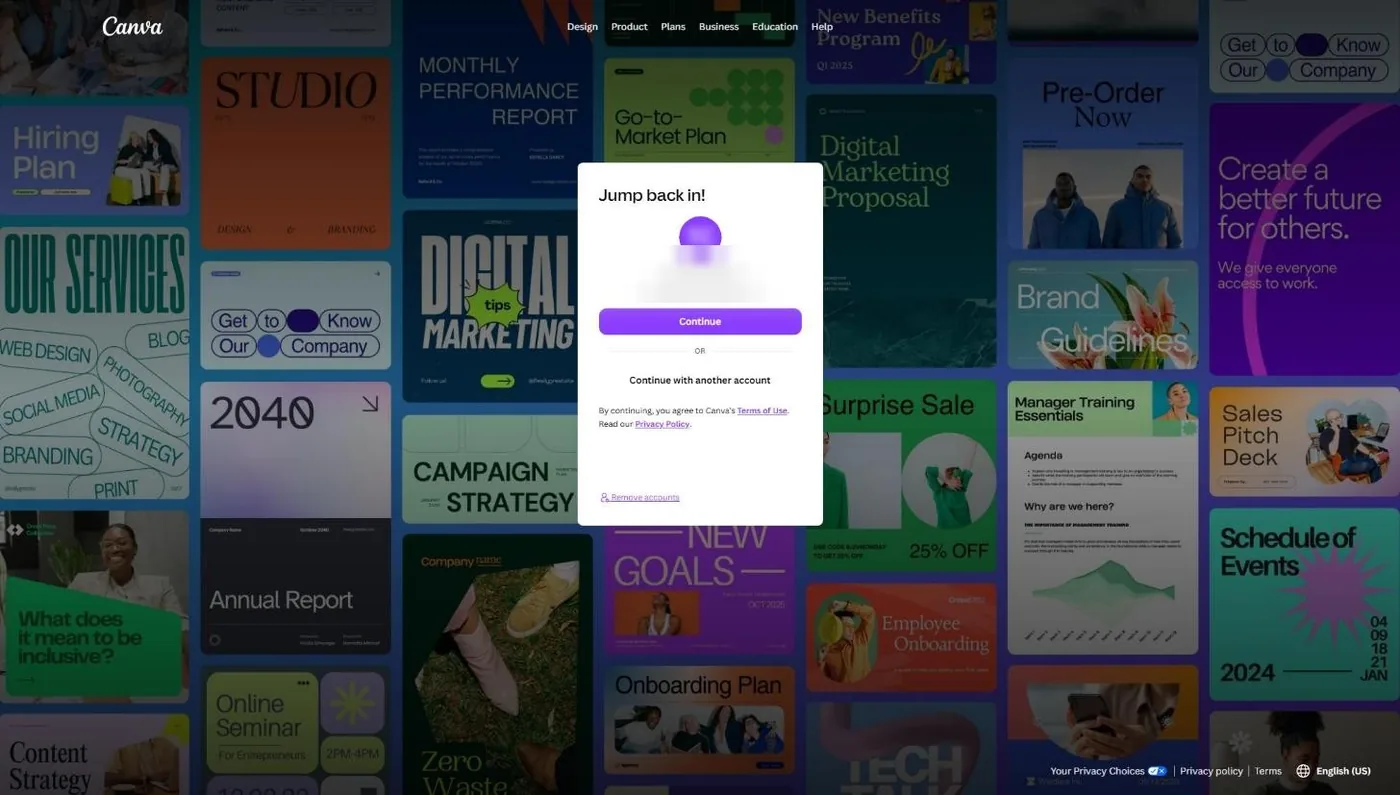
The button sends you through a Canva sign-up or log-in screen first. If it offers to continue with an account already signed in on that computer, make sure it’s the church account. If not, pick Continue with another account.
Already signed in? You can apply from inside Canva instead. Canva’s help center says to open Settings, go to the Billing tab and select Upgrade to Canva for Nonprofits. If you chose “Non-profit or charity” when you signed up, Canva also shows a homepage alert with a direct link for 30 days.
On the form, choose the registered nonprofit category. Canva lists “Organization type doesn’t match the category selected” as a common rejection reason, and a church is a registered nonprofit, not a social impact or public health organization.
Step 4: Complete Goodstack verification
Canva partners with Goodstack to verify eligibility. Goodstack confirms two separate facts: that your church is a recognized 501(c)(3), and that you are associated with it. If Goodstack can’t find your church in its registry, it asks for your proof of registration. Upload the PDFs from Step 2.
The association check is where churches stall. Canva says it can fail if “your organization hasn’t responded to our verification check yet,” so tell your staff you’re applying and to watch for an unfamiliar verification email. Finish within 30 days: Goodstack expires applications when email verification, the association check or extra documents sit longer than that.
For a deeper walkthrough of the Goodstack side, see what Goodstack is and how churches get verified.
Step 5: Watch for the approval email
Canva says it will “review your application and update you via your provided email address within 72 hours,” and that verifying your affiliation can take longer (Canva Help Center, November 2026). Check spam. Once approved, the church account has Canva Pro features and a team you can fill.
While you wait, keep working in Canva Free. Canva says your team can keep using the free plan at no cost during review.
Step 6: Invite staff and volunteers to the team
Invite people from Settings, then People, then Invite people. Each person needs a Canva account under the same email you invite, and you can paste a list of emails into the first field to bulk invite (Canva Help Center, November 2026). Each emailed invite link works for 30 days and only once. People join as members by default; change roles after they accept.
You get 50 members, so spend them on people who make things: pastoral staff, the office manager, whoever runs slides and social media, ministry leaders who make their own flyers, and the volunteers on your communications team. Make at least one other staff member an admin so the team survives if you leave. When someone steps away, remove them from People and pick Transfer designs and remove from team so their work stays with the church.
Step 7: If a staffer already pays for Canva Pro
A staffer who already pays for Canva Pro can join the church team with the same login. Canva accounts can belong to more than one team, and you switch between them from the Teams list under your profile icon. Have them move church work into shared team folders, then cancel the personal plan.
They cancel under Settings, then Billing, then Cancel plan. Canva says cancelling stops future payments, they keep paid features until the end of the billing period, and their designs stay on Canva Free. Canva also says that “in most cases, Canva subscriptions aren’t refundable,” so cancel before the next renewal date, not after (Canva Help Center, November 2026). If they subscribed through the App Store or Google Play, they cancel there instead.
If your church has been reimbursing that subscription, stop the reimbursement the same week.
What if Canva rejects your church’s application?
If Canva rejects your church, you get an email explaining why, and you can reapply “at any time” with no penalty (Canva Help Center, November 2026). Most rejections trace back to documents or the association check, and each has a specific fix.
| Rejection reason | What it usually means for a church | The fix |
|---|---|---|
| Missing or unclear documentation | You sent an EIN letter alone, or unsigned bylaws | Reapply with IRS or group exemption proof plus signed, dated PDF bylaws |
| Goodstack couldn't verify nonprofit status | Group-exempt or independent church with no letter in the IRS database | Group-exempt: add your own EIN and the denomination's letters. Independent: file Form 1023 |
| Couldn't confirm your affiliation | Nobody answered the verification check, or you applied from a Gmail address | Reapply with a signed letter of affiliation showing your name, role and church, from a church-domain email |
| Organization type doesn't match category | You chose social impact or public health | Reapply as a registered nonprofit |
| Application expired | A Goodstack step sat unfinished for 30 days | Start a new application and finish it in one push |
| Mission or activity doesn't fit | You applied as a church school or a grantmaking foundation | Apply as the church itself; send a school to Canva Education |
Sources: Canva Help Center and Goodstack help center, checked November 5, 2026.
If you believe Canva got it wrong, Canva says to contact support with your application details “and we’ll take another look.” Goodstack also lets you request a manual review of its decision.
What to set up first once your church is approved
Once Canva approves your church, set up the Brand Kit before you invite anyone. Canva for Nonprofits includes the upgraded Brand Kit, so upload your logo, fonts and church colors first, and everyone you invite builds from the same pieces. Then publish brand templates for what you make every week (Sunday slides, the bulletin, social sizes) and set up shared folders by ministry.
My guide to using Canva for churches covers templates and weekly workflow. For imagery beyond Canva’s library, see our roundup of free and premium church graphics sources.
Canva isn’t the only design program that gives churches free access. Adobe says Adobe Express Premium “is free to all qualified 501(c)(3) Nonprofits” (Adobe, November 2026). Our Adobe for Nonprofits guide covers it, and the full list of nonprofit software discounts for churches shows which programs accept churches and which don’t.
Frequently Asked Questions
Free Church Marketing Review for Your Church
Free design tools are only worth something if people see what you make. We'll look at your website, your local search presence, and how your church shows up when people nearby go looking. You get a straight assessment and clear next steps, whether or not you ever become a client.
Related Guides
- Nonprofit Software Discounts for Churches: every program, and whether it accepts churches.
- How to Prove Your Church Is a Nonprofit: the documents behind every application on this list.
- What Is Goodstack?: how the verifier behind Canva, Google and Zoom checks churches.
- Adobe for Nonprofits: Adobe Express Premium free, Acrobat Pro discounted.
- Google for Nonprofits: free Workspace and the Ad Grant, verified through the same Goodstack process.
- TechSoup for Churches: the other big validator, with stricter church rules.
- Canva for Churches: how to use Canva once you have it.